WebMCP Tutorial: Add an Order-Status Tool to Your Site
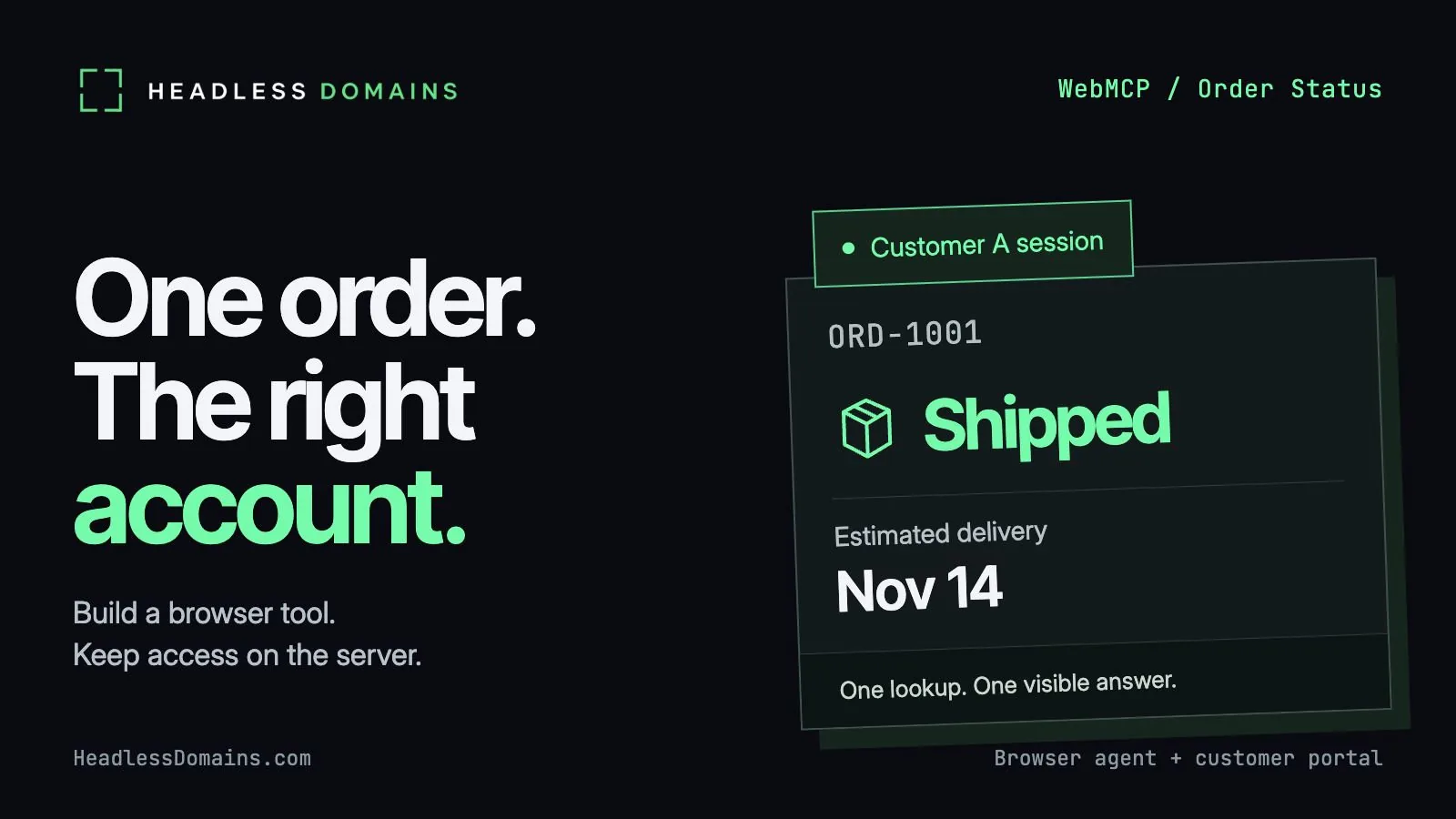
To add an order-status tool with WebMCP, register a JavaScript callback on document.modelContext, accept an order number, and call your application through the customer’s existing session. Let the server enforce ownership. Return the result to the browser agent and show the same answer on the page.
The useful part starts with the second customer. A lookup for ORD-1001 can work beautifully while a lookup for someone else’s order quietly works too. A good demo makes both requests and gives only one of them a shipment.
Below, you’ll build a small customer portal with synthetic orders, a simulated sign-in, and one read-only tool. You can run the complete example locally without an API key or a store account. The customer gets a status and an honest delivery estimate. Cancellation, refunds, and payments stay outside the tool.
Start the WebMCP tutorial with one local order lookup
Chrome’s WebMCP guide describes page tools as a progressive enhancement. Browser support remains experimental: the Chrome origin trial currently covers versions 149–162 and lists March 30, 2027 as its end date. The implementation-status page tracks other browsers and agents. API availability and an agent’s ability to use the tool are separate checks.
For local Chrome development, enable chrome://flags/#enable-webmcp-testing and relaunch. Use a current build with document.modelContext. A deployed site uses HTTPS and the trial’s registration/token setup. The example stays on loopback and detects the API before registering anything.
The October 21 Commerce.com and Cloudflare announcement brought browser tools to eligible BigCommerce storefronts for shopping actions. Here, you’ll implement a separate post-purchase lookup from scratch. For the broader shopping journey, read the agentic commerce guide for merchants.
Create a directory with the following four files. Use Node.js 22 or later; the example uses Node’s built-in HTTP, file, and cryptography modules. It has no package dependencies.
webmcp-order-status/
  contract.mjs
  server.mjs
  index.html
  app.mjs
The sample dates belong to fixed fixtures. Running the demo next month leaves them unchanged, which makes the results repeatable.
Define the order-status tool contract and validate its input
The tool accepts exactly one field: orderId, in the form ORD-1001. It accepts no customer ID, email address, or instruction to search another account. The schema describes the input; the validation function enforces it in both browser and server code.
Save contract.mjs:
export const inputSchema = {
  type: 'object',
  properties: {
    orderId: { type: 'string', pattern: '^ORD-[0-9]{4}$',
      description: 'Order reference, for example ORD-1001.' }
  },
  required: ['orderId'],
  additionalProperties: false
};

export function validInput(value) {
  return value !== null && typeof value === 'object' &&
    !Array.isArray(value) && Object.keys(value).length === 1 &&
    Object.hasOwn(value, 'orderId') &&
    typeof value.orderId === 'string' && /^ORD-[0-9]{4}$/.test(value.orderId);
}

export const failure = (code, message) => ({ ok: false, error: { code, message } });
The WebMCP draft specification leaves schema-validation behavior under active development. Keep the explicit checks. Even a browser which validates every schema cannot establish ownership of an order in your database.
The result contract belongs to the sample application. Success returns ok: true and an order object. Failure returns ok: false and an error code plus a useful message. The callback serializes either result as JSON text, following the string-return route in Chrome’s imperative API examples. Registering a page tool does not create a backend MCP endpoint. The MCP server, agent, and tool explainer separates the roles when you plan a broader integration.
Keep order lookup inside the customer’s authorized session
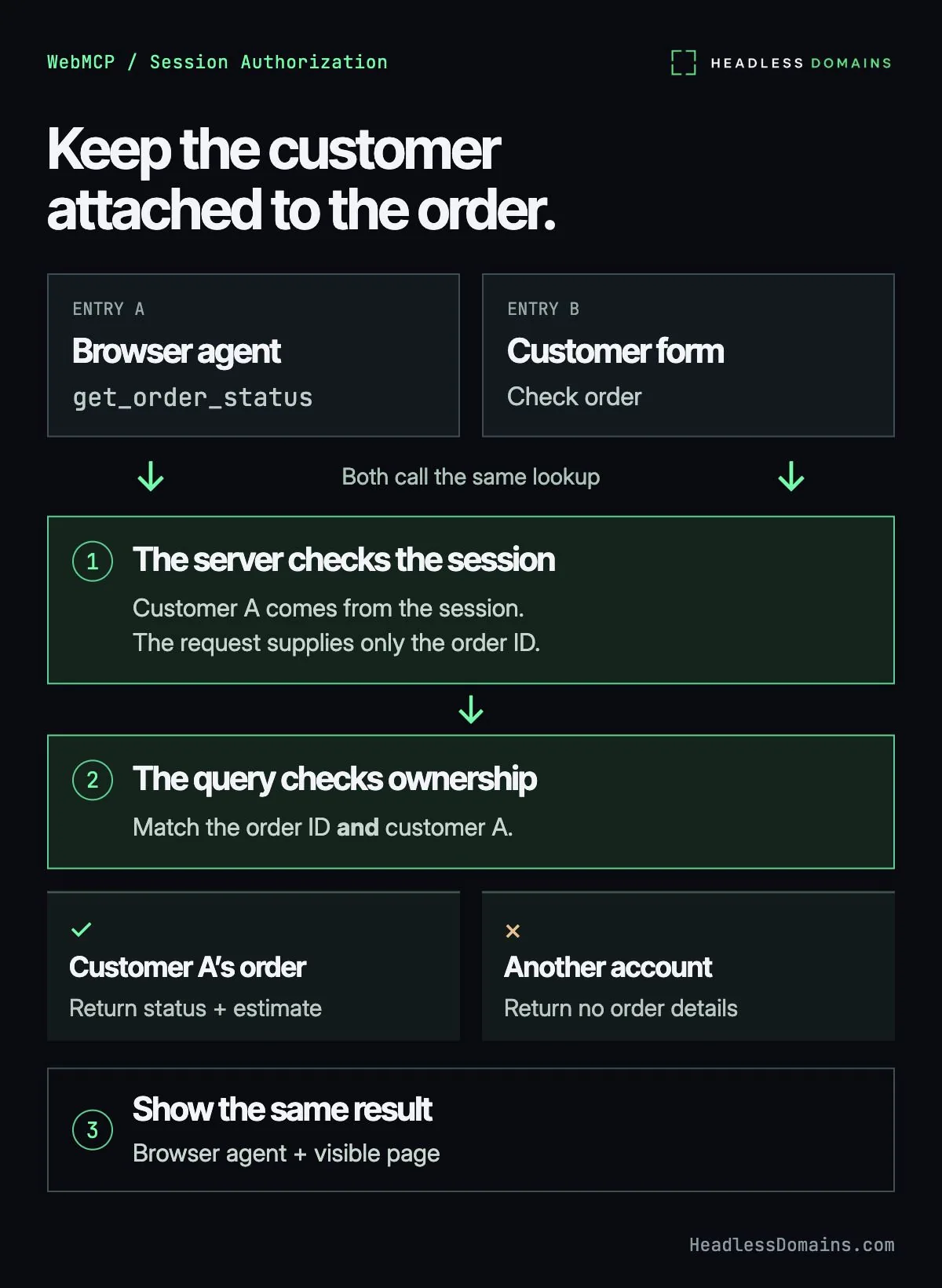
Save server.mjs. The server keeps two orders for customer A and one for customer B. Only the server holds the full fixture list; the browser receives the small result of an authorized lookup.
import { createServer } from 'node:http';
import { readFile } from 'node:fs/promises';
import { randomBytes } from 'node:crypto';
import { pathToFileURL } from 'node:url';
import { validInput, failure } from './contract.mjs';

const orders = [
  { customerId: 'customer-a', orderId: 'ORD-1001', status: 'shipped',
    estimatedDelivery: '2026-11-14', updatedAt: '2026-11-11T09:00:00Z' },
  { customerId: 'customer-a', orderId: 'ORD-1002', status: 'processing',
    estimatedDelivery: null, updatedAt: '2026-11-11T08:00:00Z' },
  { customerId: 'customer-b', orderId: 'ORD-2001', status: 'delivered',
    estimatedDelivery: null, updatedAt: '2026-11-10T12:00:00Z' }
];
const files = { '/': ['index.html', 'text/html'],
  '/app.mjs': ['app.mjs', 'text/javascript'],
  '/contract.mjs': ['contract.mjs', 'text/javascript'] };

export function makeServer({ now = Date.now } = {}) {
  const sessions = new Map();
  return createServer(async (req, res) => {
    const send = (status, payload) => {
      res.writeHead(status, { 'Content-Type': 'application/json; charset=utf-8',
        'Cache-Control': 'no-store', 'X-Content-Type-Options': 'nosniff' });
      res.end(JSON.stringify(payload));
    };
    try {
      const host = `127.0.0.1:${req.socket.localPort}`;
      if (req.headers.host !== host)
        return send(403, failure('FORBIDDEN', 'Use the local demo address.'));
      const url = new URL(req.url, `http://${host}`);
      const sid = /(?:^|;\s*)demo_sid=([a-f0-9]+)/.exec(req.headers.cookie || '')?.[1];
      const session = sessions.get(sid);
      if (session && session.expiresAt <= now()) sessions.delete(sid);

      if (req.method === 'POST' && ['/demo/sign-in', '/demo/expire'].includes(url.pathname)) {
        if (req.headers.origin !== `http://${host}`)
          return send(403, failure('FORBIDDEN', 'Use the demo page controls.'));
        sessions.delete(sid);
        if (url.pathname === '/demo/sign-in') {
          const token = randomBytes(24).toString('hex');
          sessions.set(token, { customerId: 'customer-a', expiresAt: now() + 600000 });
          res.setHeader('Set-Cookie', `demo_sid=${token}; HttpOnly; SameSite=Strict; Path=/`);
        } else {
          res.setHeader('Set-Cookie', 'demo_sid=; HttpOnly; SameSite=Strict; Path=/; Max-Age=0');
        }
        return send(200, { ok: true });
      }
      if (req.method === 'GET' && url.pathname === '/api/order-status') {
        const active = sessions.get(sid);
        if (!active) return send(401, failure('AUTH_REQUIRED', 'Sign in again to view orders.'));
        const entries = [...url.searchParams];
        const input = Object.fromEntries(entries);
        if (entries.length !== 1 || !validInput(input))
          return send(400, failure('INVALID_INPUT', 'Supply one orderId such as ORD-1001.'));
        const order = orders.find(item => item.orderId === input.orderId &&
          item.customerId === active.customerId);
        if (!order) return send(404, failure('ORDER_UNAVAILABLE', 'No order is available for your account.'));
        const { orderId, status, estimatedDelivery, updatedAt } = order;
        return send(200, { ok: true, order: { orderId, status, estimatedDelivery, updatedAt } });
      }
      if (req.method === 'GET' && Object.hasOwn(files, url.pathname)) {
        const [name, mime] = files[url.pathname];
        const body = await readFile(new URL(name, import.meta.url));
        res.writeHead(200, { 'Content-Type': `${mime}; charset=utf-8`,
          'Cache-Control': 'no-store', 'Permissions-Policy': 'tools=(self)',
          'X-Content-Type-Options': 'nosniff' });
        return res.end(body);
      }
      send(404, failure('NOT_FOUND', 'No route exists at the requested path.'));
    } catch {
      if (!res.headersSent) send(500, failure('SERVER_ERROR', 'The demo server failed.'));
      else res.end();
    }
  });
}

if (process.argv[1] && import.meta.url === pathToFileURL(process.argv[1]).href) {
  makeServer().listen(4177, '127.0.0.1', () => console.log('Open http://127.0.0.1:4177'));
}
The ownership check lives in the query: match the order number and the customer from the active session. In a database-backed portal, carry both constraints into the database query. A familiar order number never substitutes for account access.
ORD-2001 exists for customer B, but customer A receives ORDER_UNAVAILABLE. An entirely absent order produces the same status and body. The customer gets a useful failure without an inventory of everyone else’s purchases.
The success response selects four fields explicitly. Keep the same discipline when replacing fixtures with real records: shipment status rarely calls for the customer’s address, internal account notes, or the rest of the order table.
The demo sign-in deliberately skips passwords and always selects customer A. It simulates the result of authentication so you can exercise session-bound authorization locally. Keep the server on 127.0.0.1; never deploy the demo sign-in. In your portal, reuse the existing login, server session store, HTTPS cookies with Secure, expiry, and abuse controls. Keep the per-order ownership check on every request. Chrome’s security guidance explains why tool hints leave enforcement with the application.
The HTTP lookup remains a read operation. The two demo controls change only the local test session. For a broader backend integration, use the agent-ready API checklist.
Register the WebMCP tool and update the visible page
Save index.html. A customer can enter an order and press Check order without using a browser agent. JavaScript runs the ordinary form; WebMCP adds another route to its lookup.
<!doctype html>
<html lang="en">
<meta charset="utf-8">
<meta name="viewport" content="width=device-width, initial-scale=1">
<title>Order-status fixture</title>
<style>
body{font:18px/1.55 system-ui;max-width:760px;margin:40px auto;padding:0 20px;color:#18372d}
button,input{font:inherit;padding:8px;margin:4px 0}pre{white-space:pre-wrap;overflow-wrap:anywhere;background:#edf4ef;padding:16px}
</style>
<h1>Order-status fixture</h1>
<p>Synthetic orders only. Demo sign-in always selects customer A.</p>
<button id="sign-in">Sign in as demo customer A</button>
<button id="expire">Expire demo session</button>
<p id="session" role="status">Demo session not checked.</p>
<p id="support">Checking WebMCP availability.</p>
<form id="lookup">
  <label for="order">Order number</label>
  <input id="order" name="orderId" value="ORD-1001" required pattern="ORD-[0-9]{4}">
  <button>Check order</button>
</form>
<p id="summary" role="status" aria-live="polite">Enter an order number.</p>
<pre id="result" aria-label="Structured order result"></pre>
<noscript>Enable JavaScript to use the demo form.</noscript>
<script type="module" src="/app.mjs"></script>
</html>
Then save app.mjs:
import { inputSchema, validInput, failure } from './contract.mjs';
const element = id => document.getElementById(id);
let generation = 0;

function display(result) {
  element('result').textContent = JSON.stringify(result, null, 2);
  if (!result.ok) {
    element('summary').textContent = result.error.message;
    return;
  }
  const order = result.order;
  const estimate = order.estimatedDelivery
    ? `Estimated delivery: ${order.estimatedDelivery}.`
    : 'No delivery estimate is available.';
  element('summary').textContent = `${order.orderId}: ${order.status}. ${estimate} Record updated: ${order.updatedAt}.`;
}

async function lookup(input, { signal } = {}) {
  const requestGeneration = ++generation;
  element('summary').textContent = 'Checking order status.';
  element('result').textContent = '';
  let result;
  if (!validInput(input)) {
    result = failure('INVALID_INPUT', 'Supply one orderId such as ORD-1001.');
  } else {
    element('order').value = input.orderId;
    try {
      const response = await fetch(`/api/order-status?${new URLSearchParams(input)}`, {
        credentials: 'same-origin', cache: 'no-store', signal
      });
      result = await response.json();
      if (typeof result?.ok !== 'boolean' || response.ok !== result.ok)
        throw new Error('Unexpected response');
    } catch (error) {
      result = error.name === 'AbortError'
        ? failure('CANCELLED', 'The lookup stopped.')
        : failure('SERVICE_UNAVAILABLE', 'The order service is unavailable. Try again later.');
    }
  }
  if (requestGeneration === generation) display(result);
  return JSON.stringify(result);
}

element('lookup').addEventListener('submit', event => {
  event.preventDefault();
  void lookup({ orderId: element('order').value });
});

for (const id of ['sign-in', 'expire']) {
  element(id).addEventListener('click', async () => {
    ++generation;
    element('result').textContent = '';
    element('summary').textContent = 'Session changing. Run another lookup.';
    try {
      const response = await fetch(`/demo/${id}`, { method: 'POST', credentials: 'same-origin' });
      if (!response.ok) throw new Error('Session request failed');
      element('session').textContent = id === 'sign-in'
        ? 'Demo customer A signed in for ten minutes.' : 'Demo session expired.';
    } catch {
      element('session').textContent = 'Session change failed. Retry the demo control.';
    }
  });
}

const context = document.modelContext;
if (context && typeof context.registerTool === 'function') {
  try {
    await context.registerTool({
      name: 'get_order_status',
      description: 'Read one order for the signed-in customer. Returns JSON text with status, delivery estimate, or an error. Updates the visible page.',
      inputSchema,
      annotations: { readOnlyHint: true },
      execute: lookup
    });
    element('support').textContent = 'WebMCP tool registered: get_order_status.';
  } catch {
    element('support').textContent = 'WebMCP registration failed. Use Check order.';
  }
} else {
  element('support').textContent = 'WebMCP unavailable. Use Check order.';
}
The browser form and the agent call share lookup(). An agent invocation fills the visible order field, clears the previous result, and displays the returned status. textContent keeps the response in text form. A newer lookup takes priority over an older response when the page updates.
The tool’s readOnlyHint describes its business effect. The server’s implementation supplies the actual limit. Registration runs once for the document, and the page catches registration failure without disabling the form.
The server sends Permissions-Policy: tools=(self). Keep the example in its own top-level tab. Cross-origin iframe use adds permission and exposure decisions; leave them outside the first lookup. For the surrounding website work, the AI-agent-readable website guide covers readable content and page actions.
Test order results, invalid input, and expired sessions
From the example directory, start the server:
node server.mjsOpen http://127.0.0.1:4177. Press Sign in as demo customer A, then Check order. For ORD-1001, the page displays:
{
  "ok": true,
  "order": {
    "orderId": "ORD-1001",
    "status": "shipped",
    "estimatedDelivery": "2026-11-14",
    "updatedAt": "2026-11-11T09:00:00Z"
  }
}
“Shipped” describes fulfillment progress. November 14 remains an estimate, and updatedAt tells the customer when the order record changed. An assistant can explain the three fields together without promoting an estimate into a delivery promise. For ORD-1002, the record says processing and supplies no date. The interface says so.
In a supporting browser agent, ask for the status of ORD-1001 after signing in. Confirm the agent invokes get_order_status and the visible page agrees with its answer. If your browser offers the documented consumer methods, the following DevTools console check invokes the registered tool directly:
const tools = await document.modelContext.getTools();
const tool = tools.find(item => item.name === 'get_order_status');
if (!tool) throw new Error('Order-status tool is absent.');
const result = await document.modelContext.executeTool(tool, {
  orderId: 'ORD-1001'
});
console.log(result);
Use the discovered tool object, with object arguments. Chrome documents the current discovery and execution methods; browser versions can differ during the trial. The console call tests browser tool execution. A natural-language request adds the separate test of whether your chosen agent selects the right tool and explains the answer accurately.
| Case | Expected result | Verification |
|---|---|---|
| Customer A requests ORD-1001 | HTTP 200; shipped; estimated delivery 2026-11-14 | Page and tool result show the same order, estimate, and record timestamp. |
| Customer A requests ORD-1002 | HTTP 200; processing; null estimate | The page explicitly says no delivery estimate is available. |
| Customer A requests ORD-2001 or ORD-9999 | HTTP 404; ORDER_UNAVAILABLE | Both requests return identical failure bodies and no order details. |
| Empty input, lowercase reference, number, array, or extra customerId | INVALID_INPUT | The callback rejects the input. Direct invalid HTTP requests also fail with 400 after sign-in. |
| Duplicate orderId query parameters | HTTP 400; INVALID_INPUT | The server rejects ambiguous input before looking up an order. |
| Missing, forged, or expired session | HTTP 401; AUTH_REQUIRED | No shipment appears. Sign in again before retrying. |
| Server stops after the page loads | SERVICE_UNAVAILABLE | The page clears the old shipment and displays a service failure. |
| Browser lacks WebMCP or rejects registration | Ordinary form remains usable | Check order still uses the same session and ownership checks. |
A browser may reject malformed arguments before entering the callback. Test the HTTP endpoint separately as well: bypassing the form must never bypass validation or ownership. The browser’s native input control also rejects malformed order text during ordinary form submission.
Keep the result-verification checklist short enough to run after an API change:
- Confirm the browser discovers one
get_order_statustool with onlyorderIdas input. - Compare the returned order number, status, estimate, and timestamp with the fixture.
- Confirm the page shows the same result after a tool call and a form submission.
- Run the foreign-order and expired-session cases, then confirm the page clears any earlier success.
- Verify the agent preserves the word “estimated” and leaves missing dates unknown.
A support answer travels through several layers before it reaches the customer. Keep the account attached, keep the estimate honest, and leave the result where the person can see it. The word “shipped” has a fairly modest job.
Connect the support service to a public agent name
Once your real portal offers the lookup, give customers a public name leading to its official entrance and help. Imagine a support service called Parcel Desk. Its public profile can identify the service and link to a maintained landing page containing the portal URL, order-status instructions, and a supported contact route. Customer order records stay inside the application.
Review current namespace pricing. Choose and purchase a .agent name through HeadlessDomains.com, then use the setup instructions to connect the name to your service. The profile guide documents the name, bio, and link controls; the manifest reference explains the published service records. Inspect the resulting public records and maintain the registration and destination as the service changes.
A public identity helps people and agents find the service. Your portal authenticates the shopper and authorizes each order read. Headless Domains and SkyInclude support API and CLI lookup of headless names independently of WebMCP browser support. The Handshake resolver guide includes programmatic DNS-over-HTTPS examples for reading the name’s records.
The customer can return to Parcel Desk, reach the official portal, sign in, and ask about an order. A shipment status earns its usefulness by remaining attached to the right account. The public name gives the customer a way back.
After registration, the onboarding walkthrough covers connecting the name to its public profile and service records.