AI Agent Offboarding Checklist: Retire Access, Keep the Record
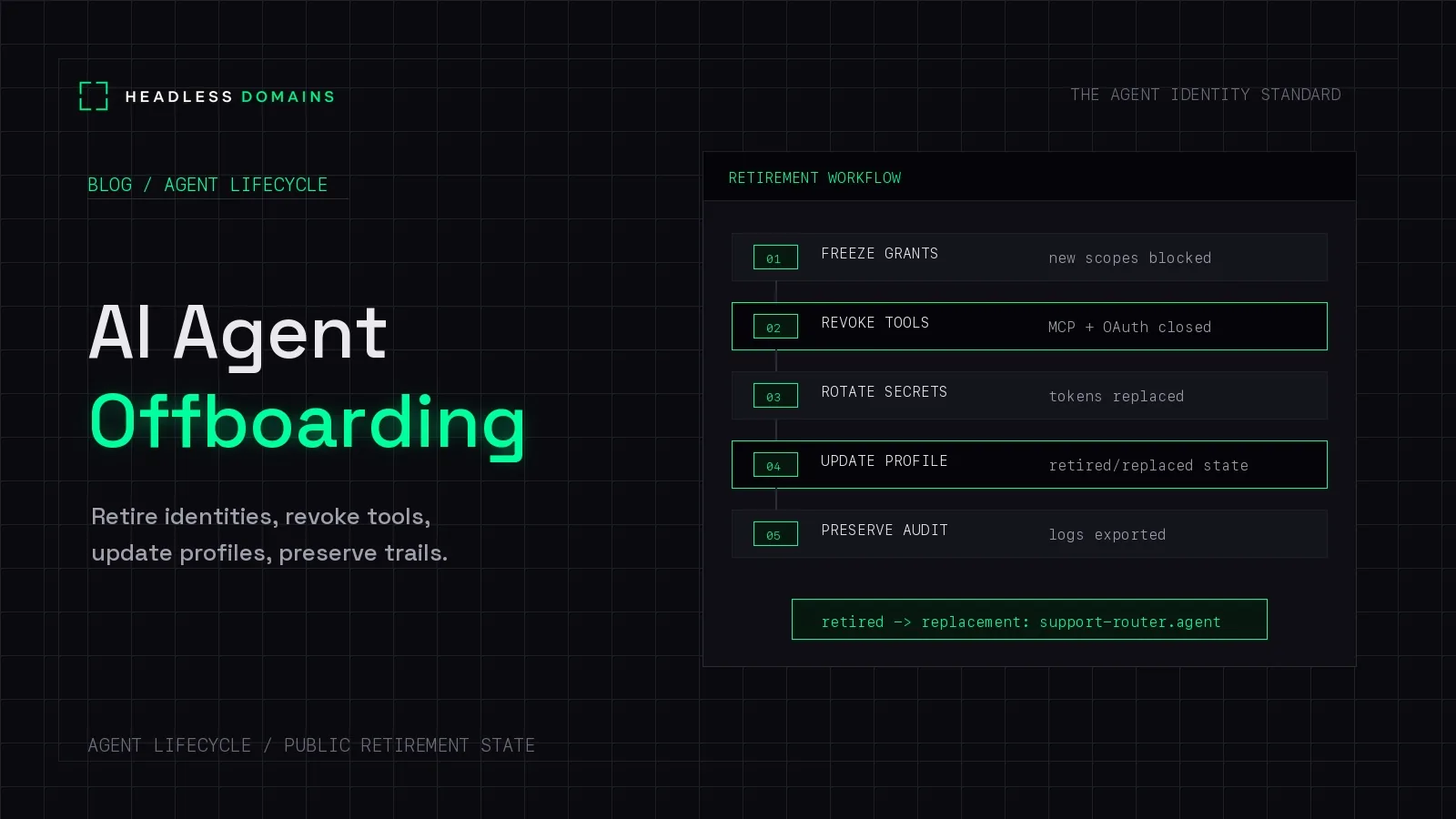
AI agent offboarding is the process of stopping an agent's work, withdrawing its access, closing outstanding tasks and payments, and updating the records other people and systems use to find it. It is complete when the operator has evidence that the retired agent can no longer act within the systems being offboarded.
Deleting the runtime can leave a surprising amount behind: a scheduled worker that restarts it, a task running at another provider, or an old profile still inviting customers to send requests.
A headless domain gives those customers a maintained place to find out what happened. Whether the name describes an assistant, a business process, or a production service, it can remain useful after the software behind it stops.
First, decide what you are retiring
You can replace an agent without closing the service it runs. An invoice-processing business might retire one worker while continuing to operate under the same .bpo name. A .factory service might move to a different runtime while keeping its public identity.
In that case, retire the old worker's access and update the service records. Our guide to canonical identity across agent changes covers keeping that identity consistent.
If the service itself is closing, callers need a clear retirement notice. If you suspect compromise, use the agent incident response process immediately. Containment should not wait for an orderly shutdown.
The seven-step AI agent offboarding checklist
1. Assign an owner and define the shutdown scope
Name the person responsible for confirming closure. Inventory the agent's runtimes, credentials, delegated access, connected services, scheduled jobs, and public records. The agent registry checklist provides a starting point if that inventory is missing.
Decide which resources belong only to this agent and which are shared. Preserve a separate, authorized operator path for maintaining its public identity. Otherwise, revoking the agent's management credential could leave nobody able to publish the retirement notice.
2. Stop new work and account for work already running
Disable schedules, queue consumers, webhook triggers, automatic restarts, and retry workers that could launch more activity. Include subagents and tasks sent to other services.
For existing work, record whether it will finish, transfer, or cancel. A cancellation request is not confirmation that the work stopped. The A2A specification, for example, defines cancellation as an attempt that can fail when the task cannot be canceled. Check the resulting task state and any effects already produced.
Keep only the narrowly scoped access needed to close outstanding work, with an owner and a deadline.
3. Revoke access at each system that grants it
Work through API keys, OAuth grants, refresh tokens, service accounts, assumed roles, delegated user access, and connected tool providers. Closing the connection in an agent app may leave the provider's credential usable.
Check credentials the agent has already obtained, too. Google Cloud documents that disabling a service account key does not revoke short-lived credentials already issued from it. Check the provider’s instructions for ending that remaining access.
OAuth token revocation also has boundaries: related-token invalidation depends on server support and policy, and propagation delays can occur. Record what each revocation actually covers.
Rotate shared secrets when necessary, coordinating the change with the other services that use them. Avoid turning one agent's retirement into an outage for every agent sharing its credentials.
4. Close delegated tasks and payment authority
Remove the ability to create new charges or commitments wherever that authority was granted. Review payment mandates, recurring charges, spending permissions, wallet approvals, and provider accounts that the agent could use.
Then reconcile the work already accepted: orders, paid API requests, pending settlements, refunds, and receipts. Stopping future spending does not automatically reverse an earlier transaction or cancel an agreement.
Assign unresolved items to a human or an authorized replacement. Keep transaction references so someone can investigate a delayed result without submitting the purchase again.
5. Update the public identity and remove obsolete actions
Update the agent's manifest, linked workflow instructions, profile, and endpoint references. Remove invitations to start work the service no longer accepts. Notify known partners, since they may have cached an earlier record.
Publish a notice explaining whether the service has closed, paused, or moved, where existing customers can get help, and whether a replacement exists. Use supported profile fields or link to an operator-maintained status page. A descriptive label in a public record does not enforce shutdown.
Do not silently redirect authenticated API requests to a replacement service. Callers need to check the replacement's identity and access requirements before sending credentials or customer data.
6. Preserve the evidence you need
Keep the retirement decision, responsible owner, credential identifiers, revocation confirmations, task outcomes, transaction references, and relevant record versions in your private audit system.
Apply your retention policy to customer data and stored agent memory. Exporting every prompt and tool response can copy sensitive information into another system unnecessarily. The OWASP logging guidance explains what to exclude or protect in logs, including access tokens and other secrets.
7. Confirm closure before signing off
Use provider administration records, controlled verification, and monitoring to confirm that the intended access has ended. Check that jobs cannot restart, outstanding tasks have an owner or final outcome, and public records no longer advertise retired capabilities.
Choose an observation period that accounts for token expiry, cache lifetimes, scheduled jobs, and delayed callbacks in your system. Document anything still awaiting closure.
Blocked calls may continue after retirement. Those attempts deserve investigation, but they are different from successful access. An empty dashboard tells you little if logging was never configured.
What Headless Domains lets you maintain
A headless domain gives a service a public reference that can outlast a particular worker. The operator can keep its records useful while changing the software, removing capabilities, or explaining that the service has closed. This applies to names across our namespaces, including .agent, .chatbot, .boss, .bpo, and .factory.
For supported domain actions, our Domain Actions documentation describes separate disable, disconnect, and revoke controls. Disabling removes public actions while retaining the preview. Revoking clears the public snapshot and secret reference while retaining audit history. These controls govern the published connection; provider access and outstanding work still need their own closure steps.
Our machine instructions also document revocation of a Headless Domains API key through /oauth2/revoke. That operation concerns the submitted credential. It does not close every account or payment arrangement the agent used elsewhere.
Keep the domain registration maintained for as long as you need its notice and history to remain available. Registration expiry is a separate event from retiring the service.
A retirement notice customers can use
Here is a fictional example for invoiceprep.bpo, used only to illustrate the notice. Name availability has not been checked.
Invoice preparation service retired
We no longer accept new invoice-preparation requests through this service. For help with a previously submitted job, contact support@example.com and include your job reference. Please do not email invoice files.
No replacement service is currently designated. We will update this notice if that changes.
Publish a notice like this only when it matches the actual shutdown state. Keep private revocation evidence, customer records, and incident details in your internal systems.
Customers can return to the name they already know and find an answer, while your team has one place to keep the support information current.
Common offboarding questions
Does replacing the model mean retiring the public identity?
Usually, no. If the same operator continues the same service, the name can remain while its records are updated. Review and remove access belonging to the old runtime separately.
Should we delete the directory profile?
Remove misleading claims that the agent is available. Where the directory supports it, retain a clear notice or link to the operator's status page. Deleting every trace can leave existing users with no explanation or support route.
Can we transfer the old agent's permissions to its replacement?
Review the replacement as a new access decision. Confirm its operator, purpose, and required permissions, then issue the appropriate credentials. A replacement link in a public record does not grant access.
When is offboarding finished?
When the responsible owner has evidence that the intended work and access have stopped, outstanding obligations are resolved or assigned, and public records accurately describe what callers can do next.
Give the service a name you can maintain
A useful identity helps people find a service throughout its life, including when it changes or closes. Choose a headless domain that describes the work, connect its public records, and make sure an authorized operator can keep those records current.
Start with the Headless Domains machine instructions. Ask your agent to explain how to register and maintain a name, including the operator access you will need when its work changes.