AI Agent Incident Response: Contain, Investigate and Recover
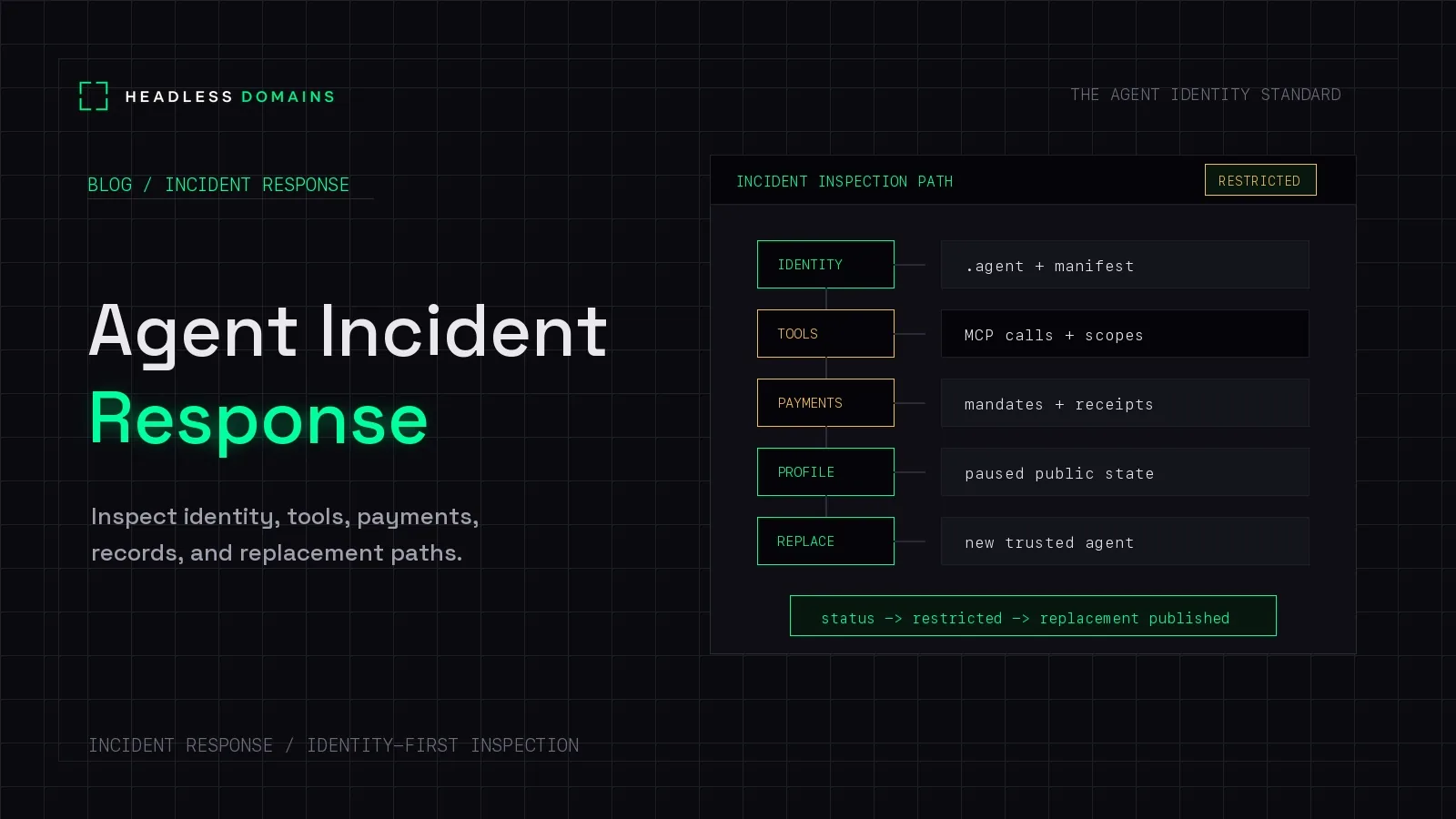
AI agent incident response is the process of containing harmful activity, preserving evidence, finding the cause and impact, and deciding whether an agent-operated service can safely resume. It covers security incidents such as stolen credentials and prompt injection, as well as operational failures that cause unauthorized actions, data exposure, or unexpected spending.
If an agent is sending customer files to the wrong destination, stop that path. You can investigate the full story while containment is underway. Opening its public profile is not a prerequisite.
A headless domain helps with another part of the response: keeping the named service connected to accurate operator information, current interfaces, and recovery notices. Customers should have a place to check what they can still use when the software behind a service changes.
What changes when the incident involves an agent?
You still need someone leading the response, evidence you can trust, and a way to contain, repair, and restore the service. NIST SP 800-61 Rev. 3 places incident response within broader cybersecurity risk management, including preparation, detection, response, recovery, and improvement.
For agents, expand the investigation beyond the executable and its credentials. Instructions can arrive through retrieved documents, tool responses, stored memory, and messages from other agents. Work may continue in a queue or at another provider after the original session closes.
The OWASP Top 10 for Agentic Applications includes memory and context poisoning, insecure inter-agent communication, and cascading failures. These risks make the surrounding workflow part of the investigation.
1. Contain the harmful action and assign a response lead
Identify the affected deployment, authenticated principal, tool, destination, and observed action using trusted administrative records. Assign someone to coordinate the response and keep a timestamped decision log.
Choose containment that stops the observed harm:
- For unexpected data export, block the destination or export capability and restrict the affected principal.
- For unauthorized writes, pause the relevant tool or workflow and investigate changes already accepted.
- For unexplained spending, stop further payment authority through the system that grants it and notify the responsible finance or provider contact.
- For suspected credential theft, revoke or restrict the affected access and investigate where else that credential could be used.
Pause schedulers, retry workers, and delegated tasks that could continue the same activity. Use narrow containment when it is sufficient; expand isolation if the scope is uncertain or harm continues.
Do not assume deleting a credential ends all access immediately. For example, Google Cloud notes that disabling a service account key does not revoke short-lived credentials already issued from it. Check the affected provider's controls and confirm the result.
2. Preserve evidence without letting the agent rewrite it
Capture relevant evidence as early as practical, without delaying urgent containment. Preserve original records in a restricted location outside the affected agent's control. Record collection times, sources, access, and integrity information where your investigation process requires it.
For an agent incident, the useful evidence often includes:
- The original task, approval or delegation reference, agent run ID, and parent run.
- The deployment, model identifier, configuration, tool definitions, and workflow versions in use.
- Relevant retrieved content, tool responses, memory updates, and conversation context.
- Authentication and authorization decisions, service request IDs, and resulting object changes.
- Payment references, pending job IDs, and the public records visible during the incident.
Collect sensitive content only where necessary and protect it appropriately. Do not paste raw customer files, credentials, or incident logs into an unrestricted chat to ask another agent what happened. Treat captured instructions and tool output as untrusted evidence, not instructions for the investigator to execute.
The agent's explanation can suggest leads. Confirm them against receiving-service records and other independent evidence. Our API call attribution guide explains how to connect an action to its run, authenticated caller, and authority.
3. Establish the cause and affected scope
Build a timeline from the first suspicious input or change through the resulting actions. Separate confirmed facts, working hypotheses, and unanswered questions.
Was a credential stolen, or did a legitimate credential permit an unsafe action? Did a document change the agent's instructions? Did a tool or workflow update introduce the behavior? Was the apparent extra action a retry after a lost response?
Those causes call for different fixes. Use the retry and idempotency guide when duplicate work is involved, rather than treating every repeated request as an attack.
Follow shared dependencies. Check whether other agents consumed the same document, memory entry, tool response, or shared credential. Find jobs already delegated to external services and inspect their actual state. A cancellation request alone is not evidence that the downstream work stopped. For A2A tasks, check the returned state and any cancellation error against the protocol specification.
For financial activity, distinguish attempted charges, accepted requests, settled transactions, and refunds. Revoking future authority does not undo a completed transaction. Record what needs reconciliation and who owns it.
4. Correct public information through a trusted operator path
Once you know which capabilities are affected, update the service's public information accordingly. A partial outage may require removing one action while leaving a safe support route available.
Compare the current headless domain record, manifest, workflow instructions, profile, and endpoint references with a trusted earlier version. If an attacker could modify those records, they cannot independently prove which replacement endpoint is legitimate.
Use a separately secured operator account and an established communications channel. If control of the public identity is uncertain, warn known partners through another verified route while recovering it. Do not publish a new destination based solely on a link supplied by the suspected compromised agent.
A useful notice says what is unavailable, what users should do, where existing requests can be checked, and when to expect another update. Keep customer details, secrets, and unconfirmed accusations out of it. Notify affected partners directly when cached records could keep sending them to an unsafe interface.
5. Fix the cause and verify recovery before restarting
Correct the affected implementation or permission boundary. Depending on the findings, that might mean repairing a connector, reducing a grant, replacing compromised credentials, or quarantining poisoned content and restoring reviewed state.
Starting a fresh session can reload the same compromised memory, and switching models leaves the tool permissions in place. Check the path that produced the harmful action.
Before production resumes, use an isolated environment and non-sensitive test data to verify the fix. Confirm that the harmful action is blocked, legitimate work still completes, and the evidence needed for monitoring is recorded. Review pending jobs before allowing retries or queue processing to restart.
Restore access gradually with explicit limits, monitoring, a rollback path, and named approval. Update the public record to describe the capabilities actually available. If the service cannot be restored safely, move to the agent offboarding process.
6. Close with evidence and assigned follow-up work
Record the confirmed impact, cause, containment actions, recovery checks, unresolved risks, and the person accepting the recovery decision. Keep outstanding customer, provider, and payment issues assigned until they are resolved.
Update the agent registry with the changed deployment and access references. Turn the observed failure into a regression scenario or monitoring rule where practical, and assign an owner and deadline to each remaining fix.
A fictional incident: the service stays named while delivery pauses
Imagine reportbuilder.factory, a fictional name whose availability has not been checked. It produces reports from customer documents. Monitoring flags an attempt to upload a source file to an unapproved destination.
The response lead blocks outbound delivery for the affected worker and pauses queued jobs. Investigators preserve the tool response that preceded the attempt, check whether any transfer succeeded, and look for other workers that received the same content.
Through a separately secured operator account, the team publishes a notice linked from the named service: report delivery is paused, existing requests remain under review, and customers should use the established support channel. They do not claim “no data was exposed” before checking the receiving and network records.
The public name remains useful throughout the investigation. It identifies the service customers recognize while the team repairs and verifies the implementation behind it.
Where Headless Domains fits in the response
Headless Domains gives an agent-operated service a maintained public reference across its profiles, manifests, and official interfaces. That role applies across namespaces, including .agent, .chatbot, .boss, .bpo, and .factory. Choose the name for the service or actor people need to recognize.
Our Domain Actions documentation describes controls for disabling, disconnecting, or revoking supported published actions. Disabling removes public actions while retaining the preview; revocation clears the public snapshot and secret reference while retaining audit history.
Those controls govern publication of the supported connection. They do not shut down a provider's runtime, revoke every credential, or reverse a payment. Your response team handles those actions in the systems responsible for them.
Keep an independent operator recovery path and known-good references for the public records. A persistent name is most useful when the team can maintain it through a service interruption.
Common incident response questions
Should we inspect the public identity before containing an incident?
Do not delay containment to do so. Identify the affected runtime and access through trusted operational records. Inspect the public identity alongside the investigation, particularly if it could send more users or agents to an affected interface.
Does an unexpected tool call prove the agent was compromised?
No. It may indicate an attack, excessive permissions, a configuration error, or faulty workflow behavior. Contain the risk and use evidence to determine the cause.
Does changing the agent's name fix the incident?
No. The same credentials, memory, tools, and queued work may remain. Fix and verify the affected systems. A replacement identity also needs its own access review before callers send it credentials or sensitive data.
Can we publish that an agent is safe again?
Describe the specific capabilities restored and the checks completed. Avoid a blanket safety claim. Keep monitoring and make any remaining restrictions clear.
Give users a name they can return to
Before an incident, connect your service's public identity to accurate records, a support route, and an operator who can maintain them. When something changes, users have a familiar place to check the service's current status.
Start with the Headless Domains machine instructions. Ask your agent to explain how to register a suitable name and maintain its public records, including independent operator access for recovery.