Vercel MCP: Connect Your Own Client with CIMD
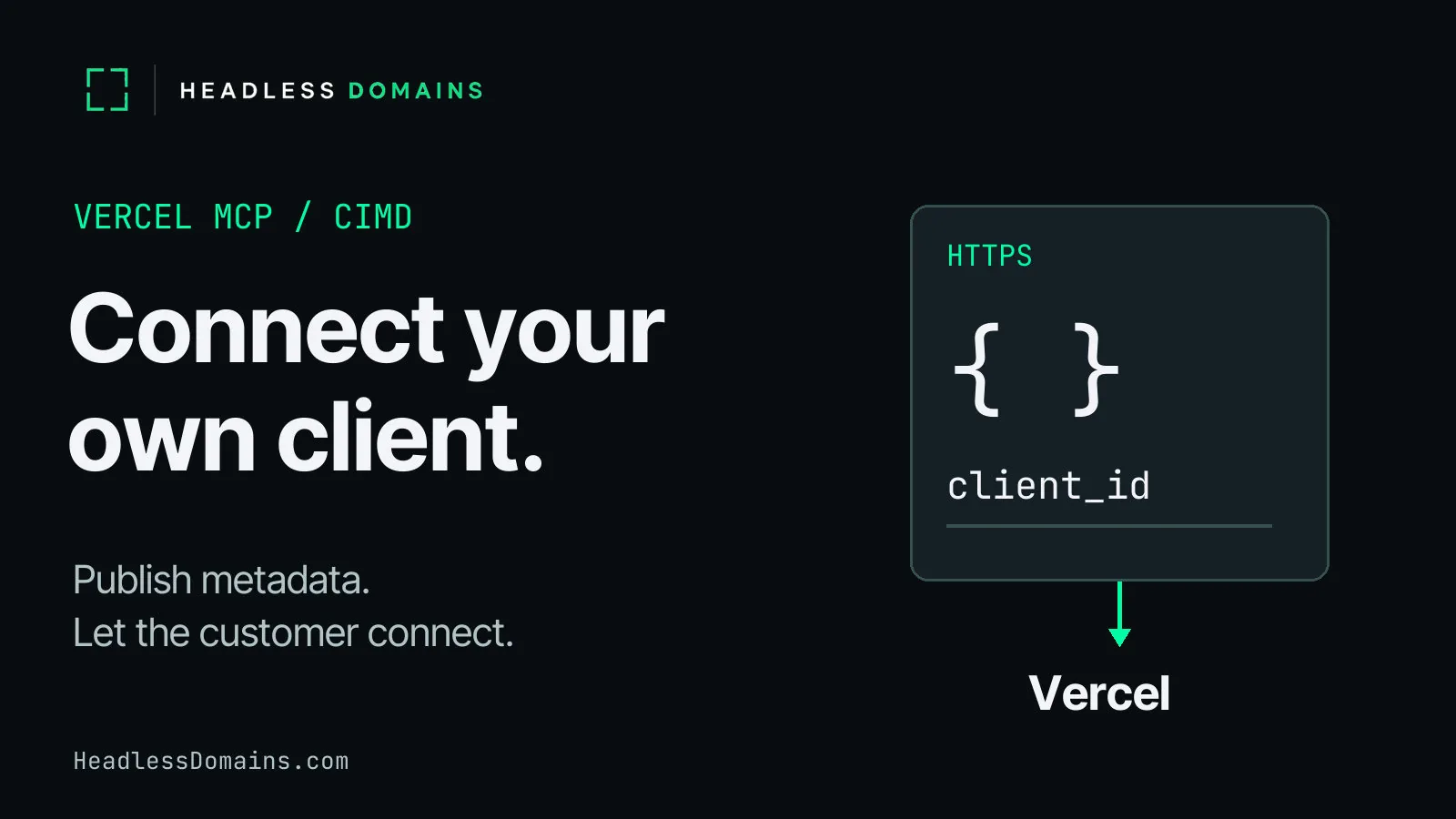
You can connect a custom MCP client to Vercel by publishing a Client ID Metadata Document, or CIMD, at an HTTPS URL and using the URL as your OAuth client_id. Vercel retrieves the application metadata, and the user signs in and approves the connection. Publish the document first, then wire its identity and callback into your client’s OAuth flow.
Consider a deployment-diagnostics agent called Deploy Check. A customer connects a Vercel account so the agent can inspect a failed deployment and explain the available evidence. The useful answer starts with access to the right project. Before any diagnosis, your application has to introduce itself and bring the customer through consent.
Vercel MCP accepts client-hosted metadata
Vercel’s November 2, 2026 announcement removes prior client review from the CIMD connection path. Previously, Vercel manually approved clients and their redirect URIs. A new client can now present its own metadata and ask the user to connect.
The consent screen displays the client’s name, logo, and metadata hostname. CIMD clients receive no Vercel verified badge. If you want inclusion in Vercel’s supported-client list, its client connection guide supplies a separate review form. Publishing JSON establishes an application’s declared identity; it supplies no independent verdict on the operator’s reputation.
Oracle announced CIMD support for Database Tools MCP on November 3, through IAM Identity Domains. The adoption extends beyond Vercel, but each provider controls admission and access. The underlying OAuth CIMD revision 03, dated November 2, remains an IETF Internet-Draft.
Keep the direction of the introduction clear. MCP Server Cards help a client discover a server. Here, Deploy Check introduces itself as the client seeking access to Vercel.
Publish your MCP client’s CIMD document
For the example, use a browser-based public OAuth client with an HTTPS callback. It carries no shared client secret. A server-side confidential client requires its own provider-supported authentication design; copying a public-client setting into a backend does not settle the choice.
Host the following illustrative JSON at https://deploycheck.example.com/oauth/client-metadata.json. Replace the example host with your application’s real HTTPS host before connecting.
{
  "client_id": "https://deploycheck.example.com/oauth/client-metadata.json",
  "client_name": "Deploy Check",
  "redirect_uris": [
    "https://deploycheck.example.com/oauth/callback"
  ],
  "grant_types": ["authorization_code"],
  "response_types": ["code"],
  "token_endpoint_auth_method": "none",
  "token_endpoint_auth_methods_supported": ["none"]
}
The MCP client-registration requirements require client_id, client_name, and redirect_uris. The remaining fields make the example’s authorization flow explicit.
| Field | Role in Deploy Check |
|---|---|
client_id | Identifies the client with the document’s exact HTTPS URL. Keep the authorization request, document value, and fetch URL identical. |
client_name | Gives the application a readable name for its introduction to the user. |
redirect_uris | Lists the callbacks the client accepts. The example uses one HTTPS callback, with exact matching. |
grant_types and response_types | Select the authorization-code flow and a code response. They grant no project or tool permission. |
| Authentication-method fields | Declare none for the public client. The singular value agrees with the plural array. |
The plural authentication-method field follows revision 03; the singular field retains the form in MCP’s current example. Both declare the same choice. Your OAuth implementation must still check the authorization server’s supported methods.
Serve the document directly as JSON with HTTP 200, without a login or a redirect. Use a stable path beyond the host’s root. Keep private keys, client secrets, customer data, and access tokens out of the document. Anyone who fetches the URL can read it.
Vercel permits HTTPS callbacks, custom schemes, and HTTP on loopback addresses. The HTTPS callback above avoids the different rules around native applications and loopback ports. An optional logo_uri must point to a PNG or JPEG under 100 KB. The minimal fixture omits the logo; add it only after the actual asset meets Vercel’s constraints.
The document introduces Deploy Check. Your client still implements discovery, redirects, PKCE, callback validation, token handling, and MCP transport, either through an SDK with those capabilities or your application code. A perfectly formatted JSON file will sit on a web server all afternoon without diagnosing a deployment.
If your product also exposes an API for other agents, the agent-ready API checklist covers its operation contract, authentication, and recovery rules.
Carry the client identity through OAuth consent
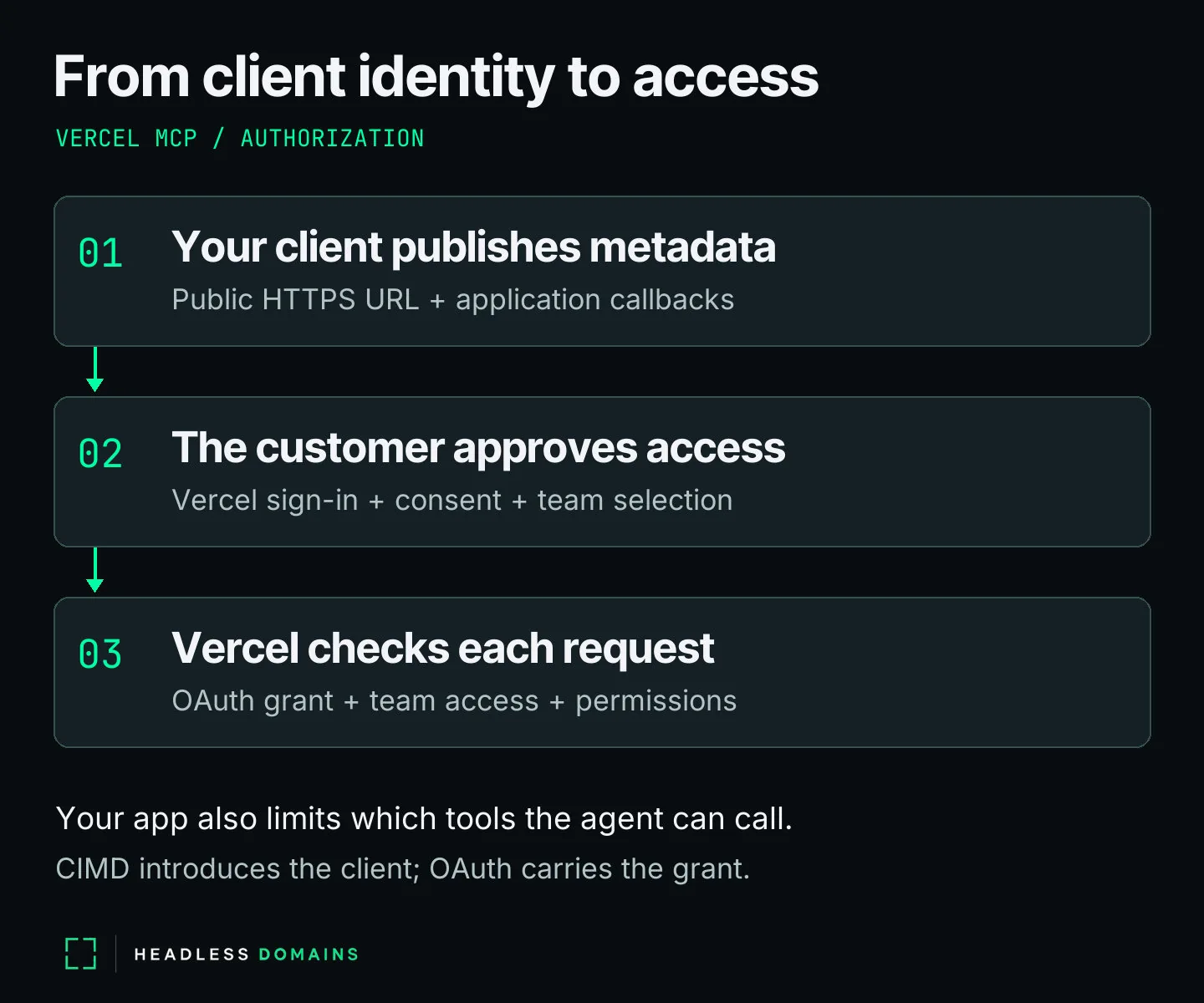
Start with Vercel’s MCP endpoint, https://mcp.vercel.com. Keep authorization inside the customer’s connection flow so each person approves access for their own account.
- Discover the authorization server. Use MCP protected-resource metadata, following the
resource_metadataaddress in aWWW-Authenticatechallenge when available, or MCP’s well-known discovery sequence. Read the advertised authorization-server metadata and validate its issuer before using its endpoints. The discovery specification defines the sequence. - Select the registration path. Look for
client_id_metadata_document_supported: true. MCP gives existing pre-registered client information first priority, followed by CIMD, then advertised Dynamic Client Registration. DCR remains a deprecated fallback. A client with no supported registration path can surface a setup requirement instead of sending the customer into a failed consent flow. - Create the authorization request. Use the document URL as
client_id, the exact callback asredirect_uri, andresponse_type=code. Generate a fresh PKCE verifier and itsS256challenge, plus unpredictable, single-usestatebound to the initiating session. Confirm the server advertisesS256incode_challenge_methods_supportedbefore proceeding. Keep the verifier private. The MCP authorization security requirements cover PKCE and callback protection. - Request access for the actual resource. Use the canonical MCP resource identifier from validated discovery, for example
https://mcp.vercel.com, in theresourceparameter of both authorization and token requests. Derive scope requests from the challenge and discovery metadata under the MCP authorization rules. Do not invent a deployment-read scope from the agent’s job description. - Let the customer decide. Vercel presents the client identity and access request. The customer signs in, selects team access, and approves or cancels. A cancellation ends the attempt without a token exchange.
- Validate the return and exchange the code. Match and consume
state; reject a missing or mismatched value. Retain the validated issuer with the transaction and apply MCP’sissresponse checks before sending the code to the token endpoint. Exchange the code with the original PKCE verifier, client identity, callback, and resource. Keep tokens in protected application storage, separate for each customer connection, and send access tokens in the HTTP authorization header.
After authorization, inspect the tools and schemas the live connection exposes. Vercel’s tools reference includes list_deployments, get_deployment, and get_runtime_logs. Availability and parameters vary by connection, and team access and existing Vercel permissions still apply.
Deploy Check’s intended job remains read-only: inspect deployment information and explain it. Implement an explicit tool allowlist in the application’s execution path and refuse write operations there. Calling the agent a diagnostics service creates no Vercel read-only grant. Server configuration, the OAuth grant, and Vercel permissions govern the connection’s actual reach. Test the application restriction separately from provider authorization. The AI agent identity security guide explains how delegated and application access differ.
For the wider review of tools, grants, and withdrawal, use the MCP Security Checklist. The immediate implementation goal here is a valid customer connection and an inspection request the receiving service permits.
Diagnose rejected Vercel MCP connections
Find the stage which failed before changing the metadata. A missing team after consent points to a different problem from a document Vercel cannot fetch.
| Failure point | Check | Rule source |
|---|---|---|
| Metadata fetch or identity | Check public HTTPS access, direct HTTP 200 JSON, required fields, and exact equality between the request’s client ID, fetch URL, and document value. | MCP/CIMD document validation. |
| Callback rejection | Compare the request’s callback with redirect_uris. For the HTTPS fixture, a changed path or trailing slash fails the local exact-match check. | Protocol matching plus Vercel’s documented callback-scheme policy. |
| Optional logo | Check the actual image format and size: PNG or JPEG, under 100 KB. | Documented Vercel constraint. |
| Registration or authentication method | Inspect advertised CIMD support and token authentication methods. Confirm the SDK uses the URL client ID and the selected public-client method. | Protocol discovery and negotiation. Inspect the provider response before diagnosing its rejection. |
| User cancels consent | End the connection attempt and let the user choose whether to start again. | Vercel requires user approval; cancellation supplies no grant. |
| Callback transaction or code exchange | Check state, issuer validation, the original PKCE verifier, and request consistency. Reject a failed transaction check before exchanging a code. | Client-side OAuth validation; separate from CIMD document parsing. |
| Connection succeeds, project or tool remains unavailable | Check the signed-in account, team grant, Vercel permissions, and live tool schema. | Documented Vercel access behavior. A visible tool name alone establishes no permission to call it. |
Run three local cases before attempting a real connection. The valid fixture uses https://deploycheck.example.com/oauth/client-metadata.json in both identity positions and https://deploycheck.example.com/oauth/callback as its callback. It passes the local checks. Change the document’s identity to https://deploycheck.example.com/oauth/other-client.json while retaining the original fetch URL, and the identity check fails. Restore the document, then request https://deploycheck.example.com/oauth/callback/; the callback check fails.
Those checks verify JSON and internal consistency. A live test adds public hosting, provider discovery, consent, token exchange, and an allowed inspection call in an environment you control. Local fixture success establishes none of those outcomes.
Give customers a public route to your deployment agent
A customer arriving at Vercel’s consent screen has another question: does Deploy Check belong to the service they meant to use? Give the application a public home connecting its name, operator, connection guide, and contact route. Keep the metadata hostname recognizable across the application and its instructions.
For a name such as deploycheck.agent, the HeadlessDomains.com profile contract supports name, bio, and link. Use the name for Deploy Check, a short bio for deployment diagnostics, and the link for an official landing page. Put the operator information, application URL, Vercel connection guide, and contact route on the linked page. The profile links customers to the full connection details.
The manifest documentation explains the public service records and account references. Headless Domains and SkyInclude maintain CLI and API routes for agents to use headless names. The resolver guide includes Python and Node.js examples for reading name records through DNS-over-HTTPS. Keep the OAuth document at your accepted HTTPS host; a bare .agent name does not replace its client_id URL. Public profile and manifest hosting also supplies no automatic CIMD hosting, Vercel badge, or account permission.
Register a .agent name for your deployment service at HeadlessDomains.com, then use the setup instructions to connect its public records to the application you operate.
When the next deployment fails, the customer can return to Deploy Check and its current connection guide. The public name leads back to the application; the customer’s Vercel connection carries access to the project. After registration, the onboarding walkthrough covers the public setup.