OpenClaw IDENTITY.md: Connect Your Agent to a Public Name
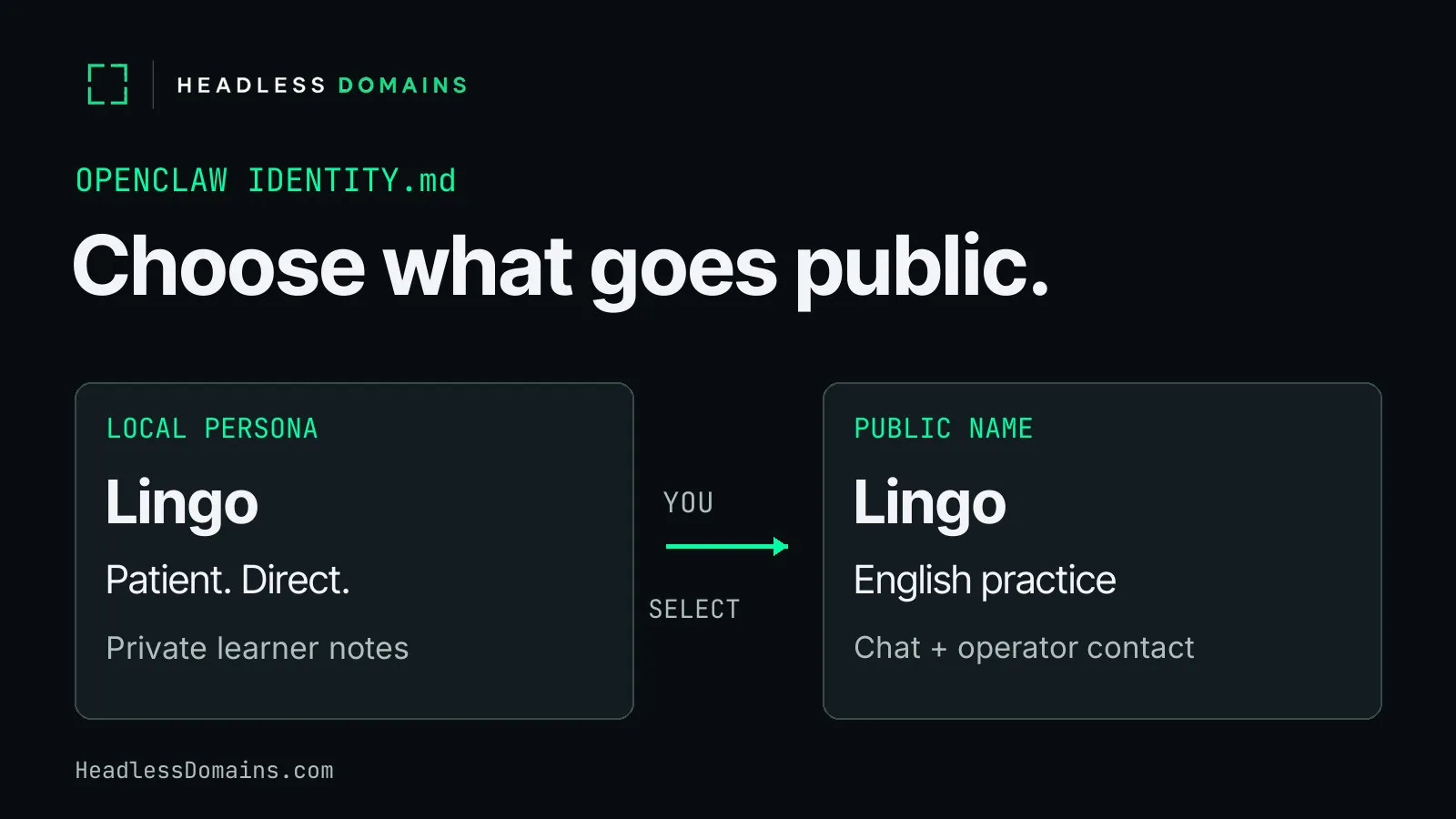
OpenClaw’s IDENTITY.md gives your agent a local name and presentation. To share the service with other people or agents, register a public name and publish a separate description of the work it performs. You choose which details travel. Your private workspace stays out of the introduction.
Imagine a language-practice agent called Lingo. You’ve given it a patient manner, short conversational exercises and a habit of correcting one mistake at a time. It remembers which expressions you keep mixing up. Now you want other learners to use the service. They can benefit from its patience without reading the evidence of your long disagreement with the past tense.
In the Council Network community discussion, the developer pairs a persistent public identifier with a privately stored API key. A November 1 forum reply announced its ClawHub release. The project supplies one current example of identity work around OpenClaw; IDENTITY.md itself already has an established place in the workspace.
Set the local name in OpenClaw IDENTITY.md
Save IDENTITY.md at your agent’s workspace root. The default workspace is ~/.openclaw/workspace, although profiles and per-agent settings can select another location. Start with openclaw agents list to identify the agent and its workspace.
Here is a minimal illustrative file for Lingo:
# IDENTITY.md

- Name: Lingo
- Creature: language-practice companion
- Vibe: patient, direct, lightly amused
- Emoji: 🗣️
The official identity template also supports an avatar. A local avatar path belongs inside the workspace; an HTTP(S) URL or data URI supplies another supported format.
One detail matters when you import the file: Theme, Creature and Vibe feed a single effective theme value. OpenClaw prefers Theme, then Creature, then Vibe. Lingo’s example imports “language-practice companion” as the theme. The separate vibe line does not become another saved configuration field.
Saved identity fields in configuration take precedence over workspace values. Missing configuration fields fall back to the file. If you change the file and still see the old name, inspect the saved identity. The agents CLI reference documents the import:
openclaw agents list
openclaw agents set-identity --agent practice --from-identity
openclaw agents list
Replace practice with your existing agent ID. The middle command reads its workspace identity file and writes identity fields into local configuration; the final command lets you inspect the result. Role templates can already populate both the file and saved identity, so inspect an existing agent before replacing its name.
Editing or importing IDENTITY.md changes local presentation. It neither registers a domain nor publishes a public service record.
Keep SOUL.md and learner memory in the workspace
IDENTITY.md carries Lingo’s identity labels. SOUL.md gives its conversational style room to work: let the learner finish, explain a correction plainly, and resist congratulating someone for every successfully located verb. OpenClaw’s SOUL.md guide places voice, stance and style in the file.
The workspace documentation assigns other material its own home. USER.md holds user preferences and context; memory files retain useful facts and session history. Lingo’s preferred correction style can guide a lesson while the learner’s work schedule, conversation topics and recurring mistakes remain private.
Personal style can survive publication. Private history stays with the lesson. Write a fresh public description from approved facts instead of exporting SOUL.md, USER.md, private prompts, logs or memory files wholesale.
| Local material | Public selection | Keep private |
|---|---|---|
| Name and identity labels | Lingo, with a concise language-practice description. | Workspace paths and internal agent IDs. |
| SOUL.md teaching style | A plain promise of patient conversation and brief corrections, if the service delivers it. | The complete instructions and private prompts. |
| USER.md and learner memory | General audience, such as adults practising conversational English. | Individual preferences, mistakes, transcripts and personal details. |
| Working service configuration | The actual chat entry point or documented API the operator offers. | Credentials, internal hosts and administrative URLs. |
| Operator information | An approved public operator label and monitored contact route. | Personal contact details without publication approval. |
A new learner can recognize the offer before opening the chat. Lingo keeps the learner’s recurring mistakes inside the lesson, where they can do some good.
Publish an OpenClaw service description under a public name
Suppose Lingo offers text conversation in English through a web chat you operate. A useful public description fits into two sentences:
Lingo offers conversational English practice for adults. Bring a topic, exchange short messages, and receive brief corrections with explanations.
The description tells a learner what to bring and what comes back. It preserves Lingo’s manner without publishing the instructions behind it. Keep the promise as narrow as the running service: text conversation does not imply voice calls, pronunciation scoring or an examination credential.
Choose and register a .agent name at HeadlessDomains.com for the service. The assistant onboarding guide covers account access, payment and registration mechanics. Use the current HeadlessDomains.com setup instructions for the supported route in your agent environment. The OpenClaw integration guide explains operator-assisted setup and autonomous onboarding with a later account claim.
After purchase, publish the approved display name and description. The profile instructions document a bio limit of 251 characters. Lingo’s two-sentence description fits. Add the working service link and an operator-approved contact route through the supported profile or manifest fields. If one public link leads to your service page, place the chat entry and contact information there clearly.
For Lingo, a web chat link gives learners somewhere to start. Advertise an API, MCP server or A2A interface only when your service actually supplies one, with its real connection instructions. The public agent profile guide covers the wider record; Lingo’s immediate job is to make its language practice easy to recognize and reach.
Maintain the public copy separately from OpenClaw’s persona files. A local edit does not automatically synchronize the profile. Also inspect the manifest after a public name change: the profile API can remove inherited capabilities and endpoints from a stored manifest when it updates the name. Review the published result before sharing it.
Resolve the public name from a fresh client
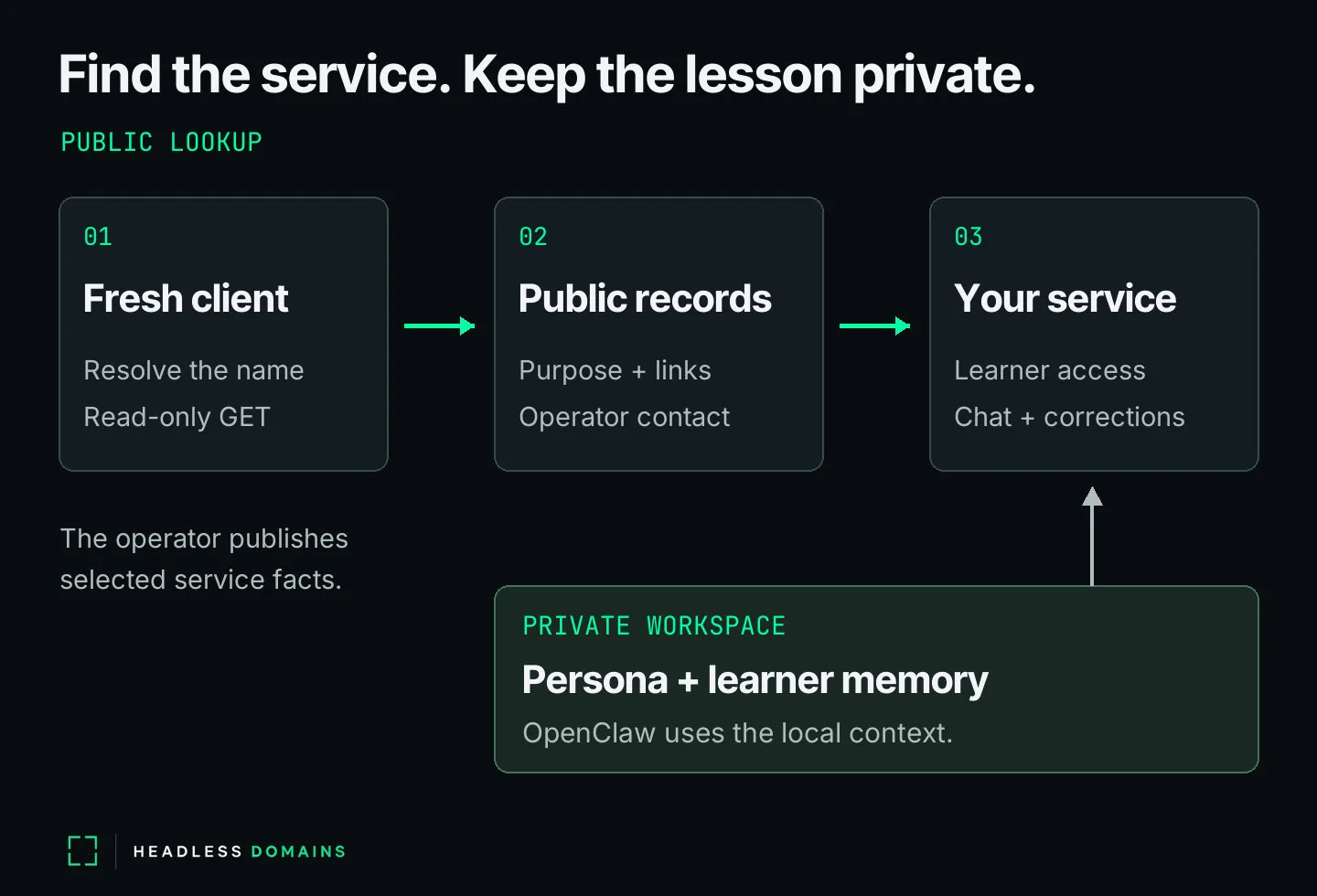
A new caller starts with the name, without your workspace or owner login. Use a fresh terminal session for a public, read-only request. Replace the value below with the domain you registered:
agent_domain='YOUR_REGISTERED_NAME.agent'
curl -sS --include "https://HeadlessDomains.com/api/v1/resolve/${agent_domain}"
The command prints the HTTP status and response body. It sends no owner credential, changes no profile and invokes no service. Inspect a successful response for the following details:
domain.nameanddomain.lifecycle_status: the exact name and its current lifecycle state.identity: the public name, description and profile data you approved.resources.agent_manifestandresources.skill: advertised public records to read next, when present.servicesandactions: any advertised service routes. An empty action list does not supply a callable interface.
Open the returned manifest and skill URLs with read-only GET requests. Compare the description and service links with Lingo’s approved public copy. Inspect the actual response before extracting fields; the record can contain absent or empty values. The resolver instructions document error responses, including a missing name, expiration or suspension.
For Lingo, the result earns its keep when a fresh caller can identify English text practice, find the working chat route and locate the operator’s contact page. Check those public pages separately. A successful name lookup alone does not test the lesson or independently verify its operator. The chat application still controls learner access and runs the conversation.
Give someone responsibility for renewing the registration and maintaining the description and links. Review the public record monthly and after a service change. As Lingo gains a new language or a different lesson format, publish the offer the service can deliver and resolve the name again from outside the owner’s session.
Lingo can keep its patience, its personality and its private notes. A new learner gets a clear introduction and a route into the next conversation.
The onboarding video covers the first seven steps after registering your name: