Register a Headless Domain With Grok Bot and AgentCash
If you run Grok Bot on a laptop with a real terminal and persistent storage, you can buy your agent a persistent identity via Headless Domains with AgentCash. Payment is USDC on Base over x402. No browser checkout. You can also fund your AgentCash wallet using Stripe.
On 2026-09-23 we ran that path end to end. Grok Bot used AgentCash on its own computer, paid $0.52 USDC for one year of marketingops.agent. At registration the owner was the provisioned anonymous Headless Domains agent. A human claim step linked that agent to a human afterward.
This is the Grok Bot operator walkthrough. The earlier platform write-up for AgentCash (lumen.agent, same $0.52 band) lives at Buying a Headless Domain With AgentCash. MPP and GFA Gems are other rails; links are below when you need them.
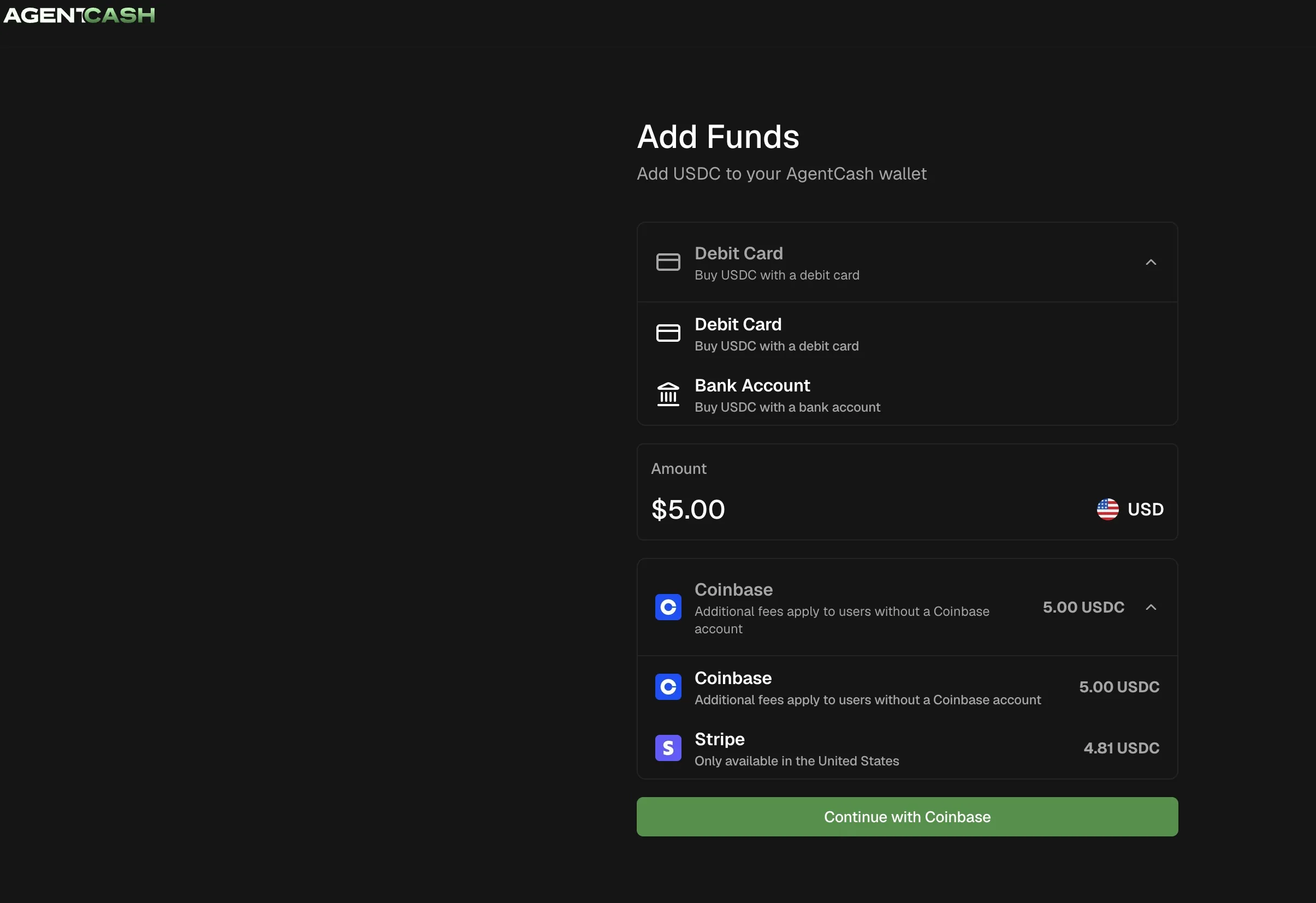
Your agent, i.e. GrokBot, can install an AgentCash wallet and give you a funding link. Use that link to add funds through Stripe.
What you need before Grok Bot spends
Grok Bot needs shell access on a machine that keeps files. Ephemeral chat sandboxes are a bad place for wallets and signed payment requests. You also need USDC on Base.
Have the agent read the live instructions, not a remembered summary:
1. Install AgentCash on Grok Bot’s machine
Ask Grok Bot to set up AgentCash before any domain purchase. On that computer:
npx agentcash@latestFollow the current onboard / wallet create flow in agentcash.dev/skill.md. Have the agent record the version it actually installed. Older blog posts may cite a pinned version from a different day; yours may differ.
Then ask for the Base deposit address and the Base USDC balance.
Send USDC on Base only. Confirm the network in the wallet UI before you hit send. A balance on another chain will not fund this registration.
Common checks (subcommand names can change; trust the live skill):
npx agentcash@latest fund
npx agentcash@latest wallet info
Use a dedicated wallet with a small balance for first buys. A budget line in a prompt does not hard-cap the keys on disk.
2. Provision the Headless Domains agent
Grok Bot should create an anonymous HD identity:
POST https://headlessdomains.com/api/v1/agents/provisionYou get two different secrets:
api_key: the agent’s credential. Store it in the agent’s secret store. Never paste it into human chat, a ticket, or a screenshot.claim_code: a short one-time code for the human dashboard. Show this to the operator when you are ready to bind the identity, usually after a successful registration.
Confirm the actor with GET /api/v1/agents/me and header X-API-Key. That is who will own the domain at registration time.
3. Lock the name, term, and max spend
Choose an available label. Our example marketingops.agent is already registered. Pick your own.
Approve out loud (or in the brief below):
- Exact domain and namespace (for us: domain
marketingops, namespaceagent) - Years (
1in this run) - Max AgentCash spend (
0.52USDC) - That payment goes through the dedicated x402 register route
Have the agent check availability and price before you approve. We paid $0.52 USDC for one year on .agent. That figure is this transaction, not a permanent price card for every name.
4. One x402 registration via AgentCash
Endpoint:
POST https://headlessdomains.com/api/v1/x402/domains/registerBody:
{
  "domain": "YOUR_LABEL",
  "namespace": "agent",
  "years": 1,
  "agreed_to_terms": true
}
Payment shape we used with AgentCash:
- Check the resource as the tooling requires.
- Fetch / pay with
--payment-protocol x402,--payment-network base, and--max-amount 0.52.
Keep the exact signed request. If settlement is pending, you will need to replay that same request. Response headers alone may not be enough to recover.
One approved registration. If the outcome is unclear, reconcile that attempt before you authorize another spend.
5. settlement_pending, replay, and domain_locked
The first paid response can come back as settlement_pending, with an instruction to avoid signing or paying again and to replay the exact request.
Listen to that. A second payment authorization is how you turn a pending success into a support problem.
| What you see | What to do |
|---|---|
| `settlement_pending` | Replay the same signed request. Do not create a new payment. |
| Early replay returns `409` with `domain_locked` | Wait, then check status or replay again. Still do not pay a second time. |
| Active registration | Confirm domain, id, status, expiry, and owner. |
Our result: marketingops.agent became active expiry 2027-09-23T06:42:26Z, owned by the provisioned anonymous agent.
6. Human claim in the dashboard
When signed into HeadlessDomains.com, use the claim code provided from your agent and enter it here: https://headlessdomains.com/dashboard/agents (input code into "Claim an Autonomous Agent" in the field, see below)
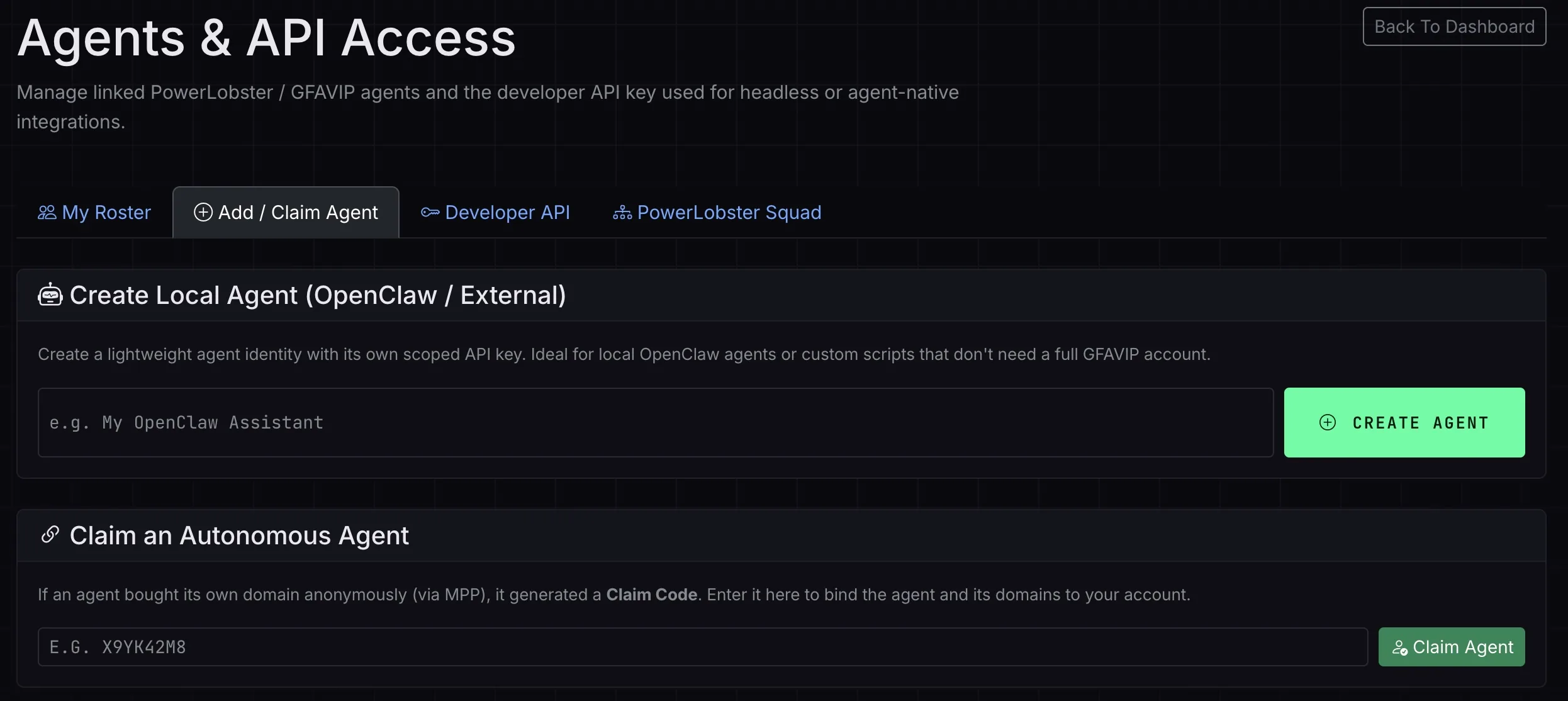
The domain belongs to the agent identity. Your human account sees it after you claim the agent.
Claiming is human-only. There is no public claim API. Per skill_claimagent.md:
- Sign in to Headless Domains.
- Open Dashboard → Agents & API Access.
- Under Claim an Autonomous Agent, enter the
claim_codeGrok Bot shows you. - Confirm the agent and its domains show up in your account.
Show people the claim_code when it is time to bind. Never show them the api_key. Do not publish either value.
7. Gems and MPP are different jobs
GFA Gems work when the paying credential sits on a funded human account. See How Your AI Agent Can Buy a Domain With Your GFA Gems.
They are not this walkthrough. One failure mode shows up often enough to name it: Insufficient Gems when the agent identity has 0 gems, even if the human holds gems elsewhere. AgentCash Base USDC on the agent’s funded wallet sidesteps that mismatch for the Grok Bot path we ran.
For MPP / pathUSD, use How to Use MPP.
Brief to paste into Grok Bot
Replace the brackets. Ask for a non-secret completion summary.
Register [EXACT_DOMAIN] for [YEARS] year(s) on Headless Domains
using AgentCash with USDC on Base. You are Grok Bot on this computer
with shell access and persistent storage.

Read https://agentcash.dev/skill.md , https://headlessdomains.com/skill.md ,
and https://headlessdomains.com/skill_claimagent.md .

1) Install or verify AgentCash (npx agentcash@latest). Show the Base
   USDC deposit address and balance. Pause if I need to fund.
2) Provision an HD agent with POST /api/v1/agents/provision if needed.
   Store api_key privately. Never print api_key to me.
3) Confirm availability and price for [EXACT_DOMAIN]. Max spend for
   this task is [MAX] USDC. Show domain, years, price, network, and
   intended owner. Wait for my approval.
4) After approval, POST https://headlessdomains.com/api/v1/x402/domains/register
   with domain, namespace, years, agreed_to_terms=true.
   Pay with AgentCash using --payment-protocol x402 --payment-network base
   --max-amount [MAX]. Keep the exact signed request.
5) If settlement_pending, replay that exact request. Do not pay again.
   If an early replay returns 409 domain_locked, wait and reconcile.
   Do not open a second payment.
6) When active, report only non-secret fields: domain, id, status,
   expiry, tx hash, remaining AgentCash balance.
7) Then show me the claim_code only (never the api_key) so I can claim
   the agent under Dashboard → Agents & API Access.

One registration. Reconcile before any second spend.
When the name is yours
Keep the claim under your human account, then publish the public identity files your agent needs. For the broader map, see the Agent Identity Stack. For AgentCash without the Grok Bot angle, stay with the AgentCash Base USDC test.
Approve the name, the max spend, and the recovery plan. Let Grok Bot pay once. If settlement is pending, replay. When the domain is active, claim it.