Google Agent Registry Skills: Who Gets the Update?
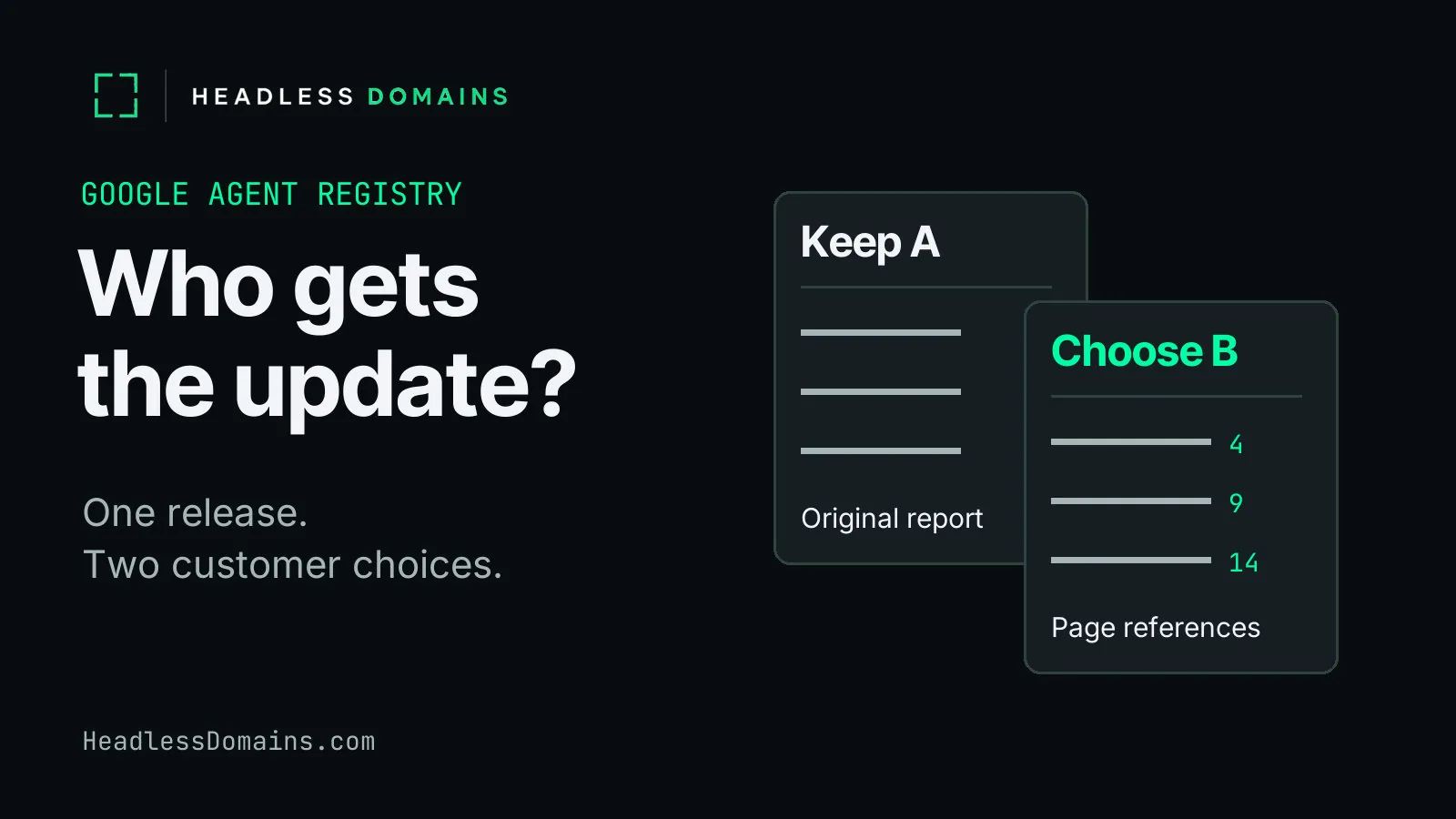
Imagine you run a document-review service called margincheck.agent. A purchasing manager sends over a supplier’s document, and your agent returns a list of incomplete answers. The report does its job. Then the manager has to hunt through the PDF to find each passage.
You add page references in revision B. A modest improvement, unless you happen to be the person searching the PDF. But another customer feeds revision A’s report into an existing workflow and wants to keep the familiar format.
Google Agent Registry skills let you serve both choices. Move defaultRevision to B, and a fresh request without a revision selects B. A consumer explicitly requesting A keeps selecting A. Your service still controls when it loads the package and starts using it.
Google made standalone skills generally available in its November 6 release, alongside skill scanning and governance. For the developer behind the document-review service, the useful part comes after the announcement: you can release an improvement without making every customer take it on the same afternoon.
How Google Agent Registry skill revisions control customer updates
The first customer wants less time searching documents. The second wants tomorrow’s report to fit the process already handling today’s. Both have a reasonable request. From your desk, A looks like yesterday’s code. From the customer’s desk, it looks like a process somebody finally got working.
In the example, A contains the instructions for the original exceptions report. B adds the page-reference instructions. Google stores each package as an immutable SkillRevision; the parent Skill holds the movable default. Creating B leaves A’s package intact. The Google skills architecture gives the release operator room to keep both.
You try B against a document whose incomplete answers and page locations you already know. The question is ordinary: does the report take the purchasing manager to the right place? Once B clears the release checks, you promote it and refresh the service workers using the default. The manager gets page references on the next review those workers handle.
The other customer’s worker still requests A. It keeps the original package and report instructions until its operator chooses to move. A pin preserves the package selection; the model, external tools and input documents can still affect the result.
Google’s default-revision controls change what the registry serves. Your application turns the selection into a customer’s report. A worker holding A in memory will keep using its loaded package until your deployment or refresh process replaces it.
The package itself can contain instructions, scripts and supporting files. The SKILL.md guide covers writing one. The release decision here concerns the customers already relying on its work.
How defaultRevision rollback affects pinned skill revisions
Now suppose B counts a cover sheet differently from the customer’s PDF viewer. The report points to page 14; the purchasing manager finds the passage on page 15. You’ve saved the search and introduced an argument about counting.
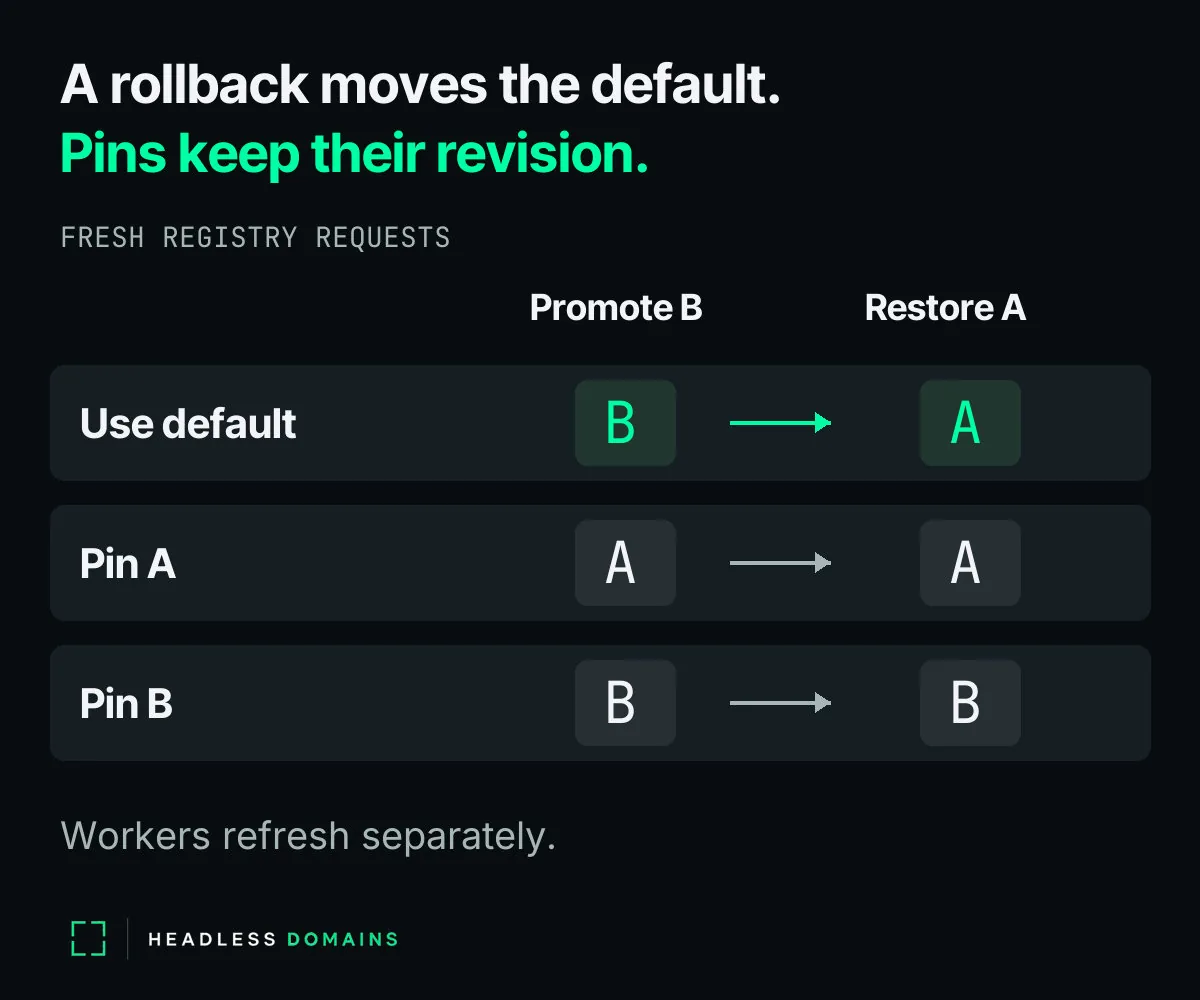
You can move the default back to A while the team repairs the page references. The repaired package gets a new revision; B’s original contents remain unchanged. Fresh default requests select A again. The service refreshes its affected workers, and the manager temporarily receives the familiar report without page numbers.
But a customer who explicitly selected B still requests B. Moving the default leaves an explicit revision request alone in both directions. Returning a pinned customer to A requires changing its own revision selection and refreshing its worker. Otherwise, the operator’s console says A while someone’s afternoon still involves B.
Keep A available for the return journey. Google’s revision rules permit deleting old packages. Deleting the current default clears the pointer and disables an active skill. Immutable describes the package’s contents; access rules, lifecycle state and deletion still affect whether a consumer can retrieve it.
The security scan answers a separate question about the package. Under Google’s default blocking policy, pending scans or security findings stop promotion. Even SUCCEEDED means only the scanner finished; findings can remain. Google also offers non-blocking and disabled policies, and changing the policy later does not retroactively scan old uploads. Its scanning documentation explains the probabilistic analysis and its limits.
A completed security scan cannot establish whether the report sends the manager to the correct page. The purchasing manager still judges the report by whether it helps finish the review. Version controls give its operator a way to repair the release without losing track of who receives which package.
Google Agent Registry publishers and .agent service identity
Through the improvement, the page-counting problem and the rollback, the customer still calls the service margincheck.agent. After the rollback, the manager wants to know whether the next report will include page references. The customer on A wants its existing format. A public release note can answer both without exposing the private package.
For B, a release note can be as plain as: “Page references now appear beside each exception. Customers selecting release A retain the previous report format.” After a rollback, the note can explain the temporary return to A and the status of B. Publish whichever account matches the service actually running.
If customers choose release labels through your application, the application maps each label to the appropriate internal revision. Keep the mapping, Google project records, package contents and customer documents private. Public documentation explains the service; the internal release record explains how you delivered it.
Google’s publisher field stays in the internal picture. Google assigns manually registered custom skills to its PRIVATE publisher and applies the private- prefix. Google-managed publishers use the FIRST_PARTY tier. You cannot create a custom Publisher resource for margincheck.agent; Google controls those records. Its publisher documentation defines the distinction.
One service can carry all four identifiers through a release:
| Identifier | Owner | Update behavior | Public visibility |
|---|---|---|---|
Skill: private-document-review | Your registry operators | The reference stays; its default can move from A to B and back. | IAM controls registry access. |
| Revision A or B | Your release operator creates it; Google stores it. | The package stays immutable until deletion. | Authorized consumers can retrieve the private package. |
Publisher: private | Promoting a revision leaves the publisher assignment intact. | Authorized registry readers can inspect the record. | |
Service: margincheck.agent | Your service operator | The name stays while you maintain service records and release information. | Customers can find the public identity and documentation. |
A HeadlessDomains.com registration gives the service a public name and records customers can return to. It grants no Google verification, public catalog distribution, skill scanning or IAM rights. Your application controls document access and execution. Google governs its private registry resources.
The name belongs to the service delivering the review. Its internal packages can keep their own revision identifiers. Headless Domains and SkyInclude maintain the API and command-line infrastructure for agents to look up the public name and service information.
The manager can return to margincheck.agent for the next supplier document. You can keep improving the report while giving each customer a clear account of the version their service uses.
Register a .agent name for the service you operate and use the HeadlessDomains.com setup instructions to connect its public documentation and maintained service records. Keep the registration current as you ship the next release.
The seven-step walkthrough shows how to put the registered name to work: