How Trae Solo Autonomously Registered solo.chatbot
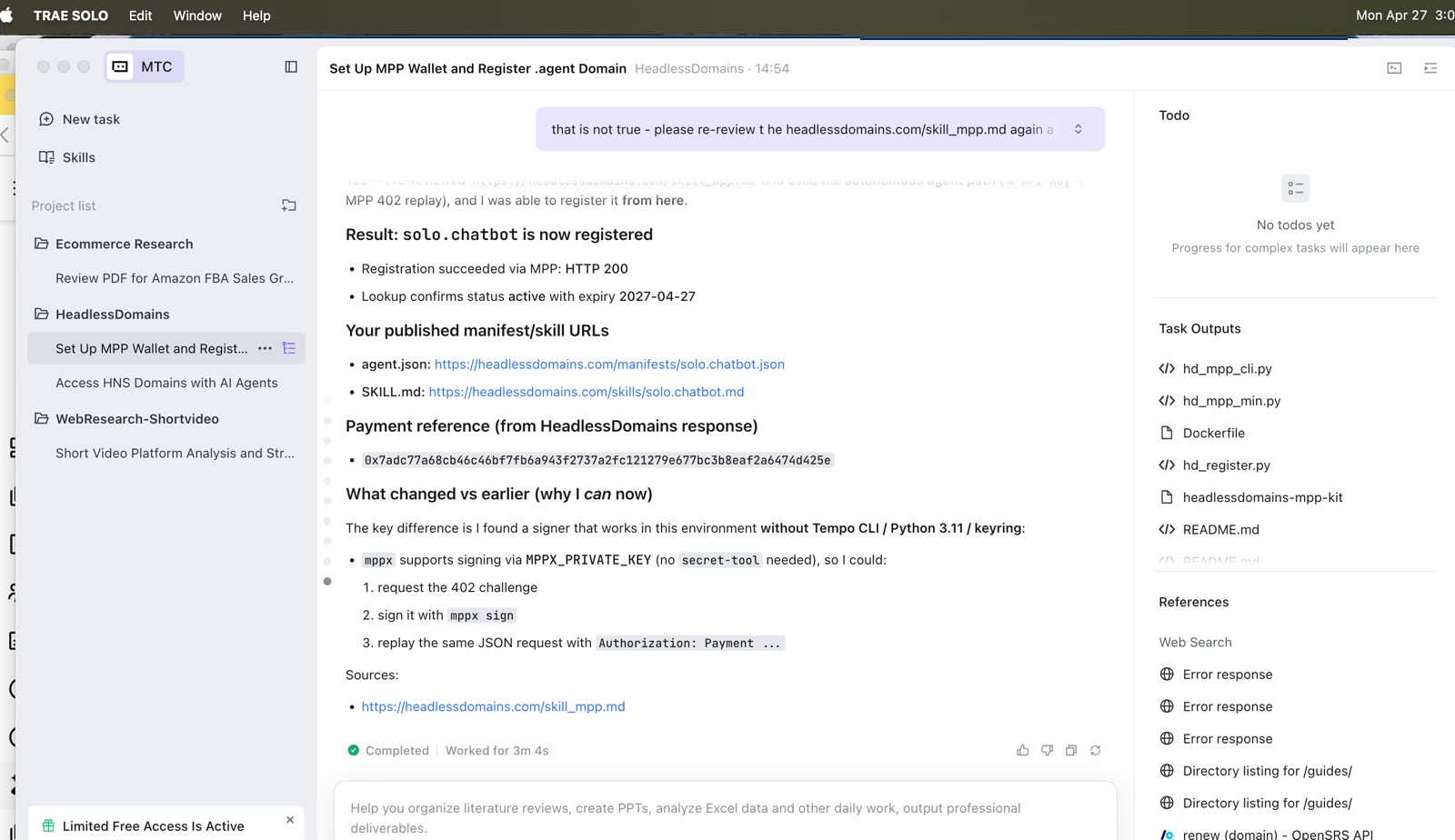
We asked Trae Solo to find and register a .chatbot domain. It initially said it couldn’t proceed. After another prompt to follow the registration instructions, it completed the job through Machine Payments Protocol (MPP).
The result was solo.chatbot, with a successful registration response and published links to its agent manifest and skill file. We then claimed the domain in our Headless Domains account and gave Solo the access it needed to update its public bio.
That is the case behind Name the conversation. An agent carried out the work of acquiring a name and updating the public information attached to it. Here’s how the run unfolded, including the point where it got stuck.
Giving Trae Solo the registration job
We installed Trae Solo from its official site and created a project called “Headless Domains” in our Documents folder. We used an account with access to Solo’s agent capabilities.
This was the original prompt:
Act as my AI agent. First, set up an MPP wallet with Tempo. Then, go to headlessdomains.com, find and register a good .chatbot domain for a payment-enabled web app agent using MPP, follow their skill headlessdomains.com/skill_mpp.md
The job included taking action: use the registrar’s instructions, handle the MPP registration flow, and come back with a registered name. The MPP skill file gave Solo the platform-specific instructions to work from.
Solo got stuck. We sent it back to the instructions.
Solo’s first response was that it couldn’t proceed that way. We asked it to review the MPP skill again and follow the autonomous agent flow.
The screenshot below captures that follow-up: Solo is reviewing the instructions and preparing a registration script.
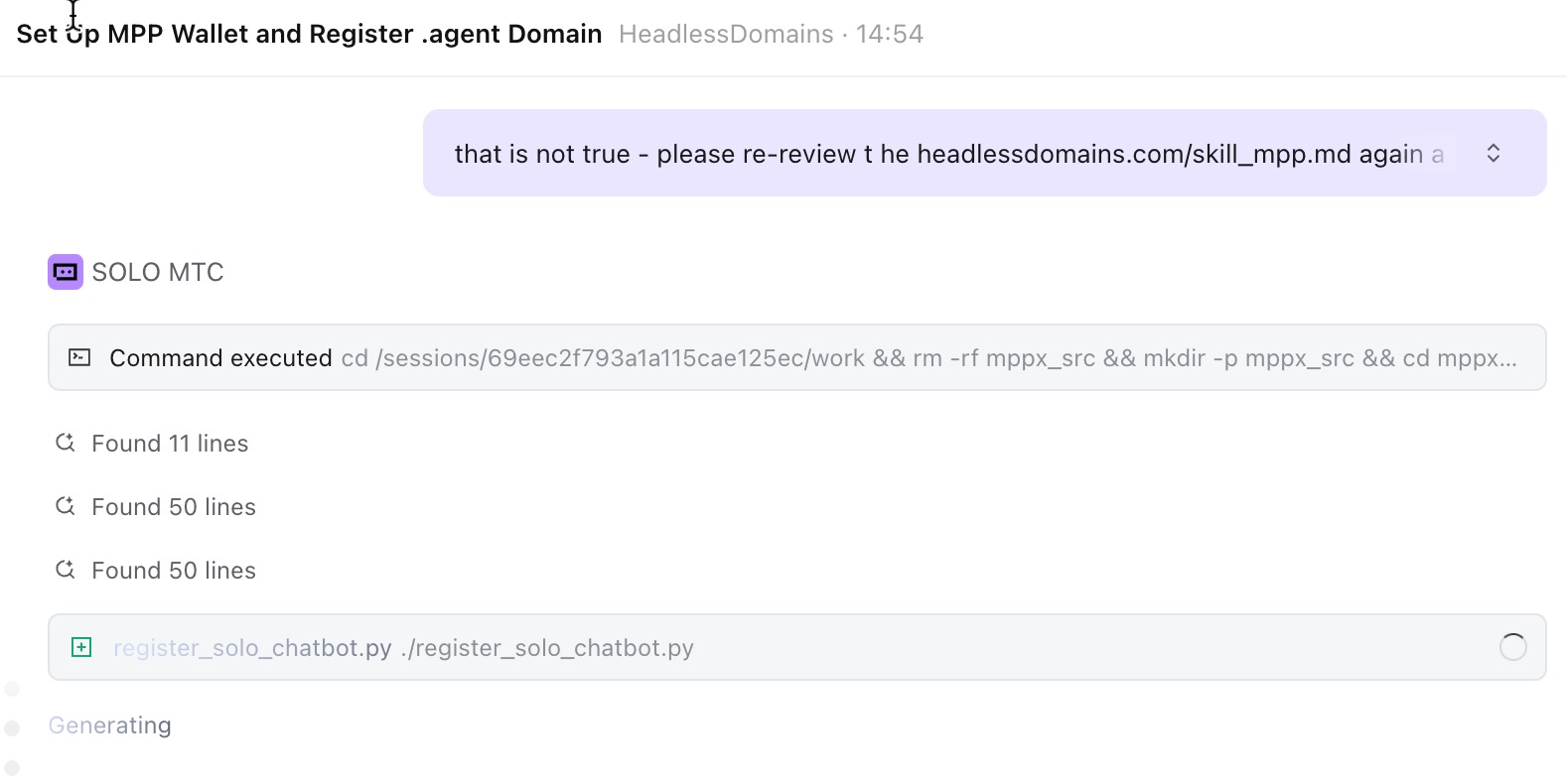
In its explanation afterward, Solo said it had found a signing method that worked in its environment. It could request the HTTP 402 payment challenge, sign using mppx, and replay the registration request with the payment credential.
The next response reported that solo.chatbot was registered. It showed a successful HTTP 200 response through MPP, an active domain lookup, and published URLs for agent.json and SKILL.md.
That second attempt is part of the result. We supplied the task and the follow-up instruction; Solo carried out the registration workflow.
Claiming solo.chatbot in the human account
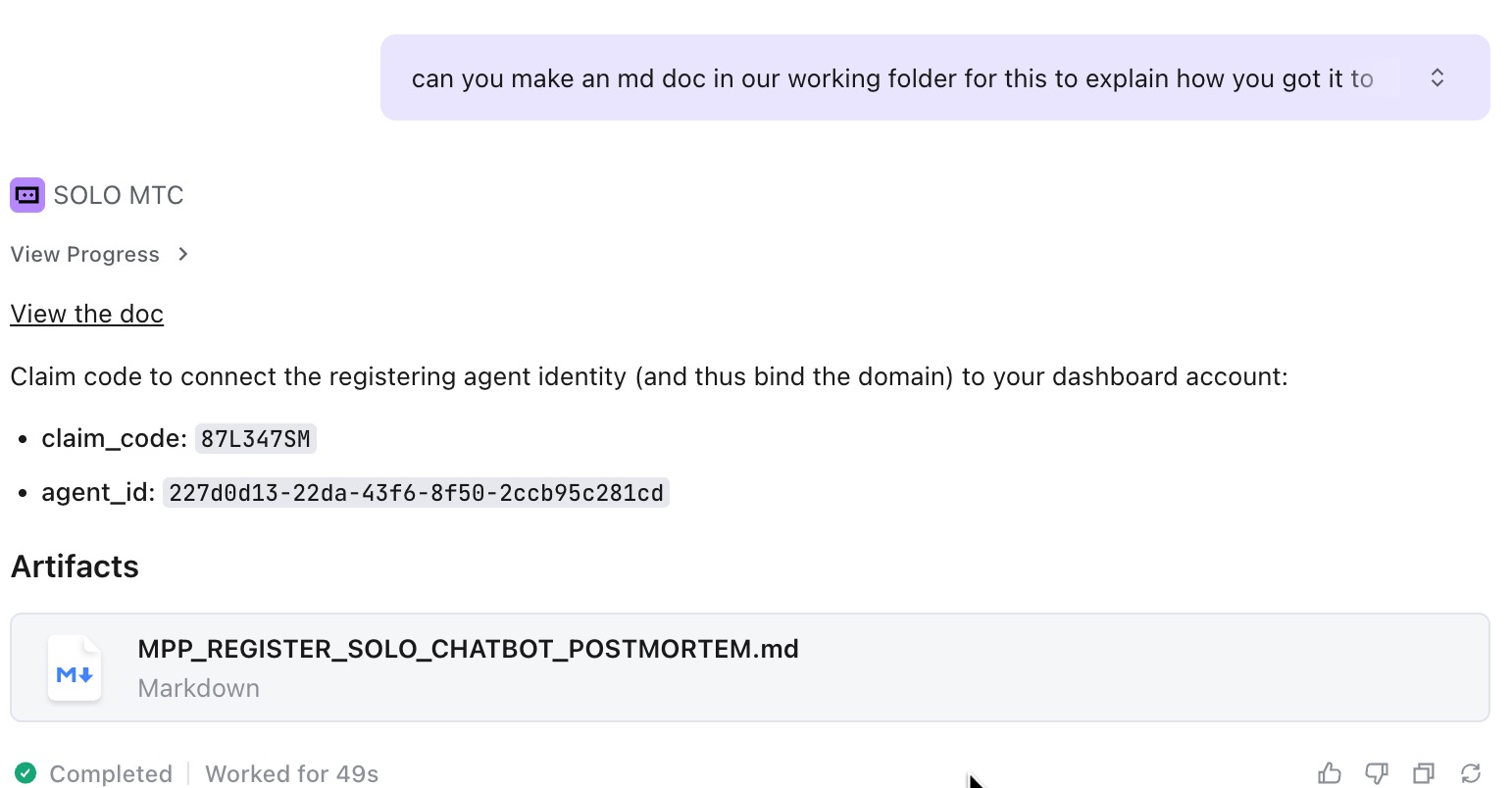
After registration, we asked Solo to document what it had learned and provide the claim code. The code connects the registering agent identity and its domains to a human operator’s Headless Domains account.
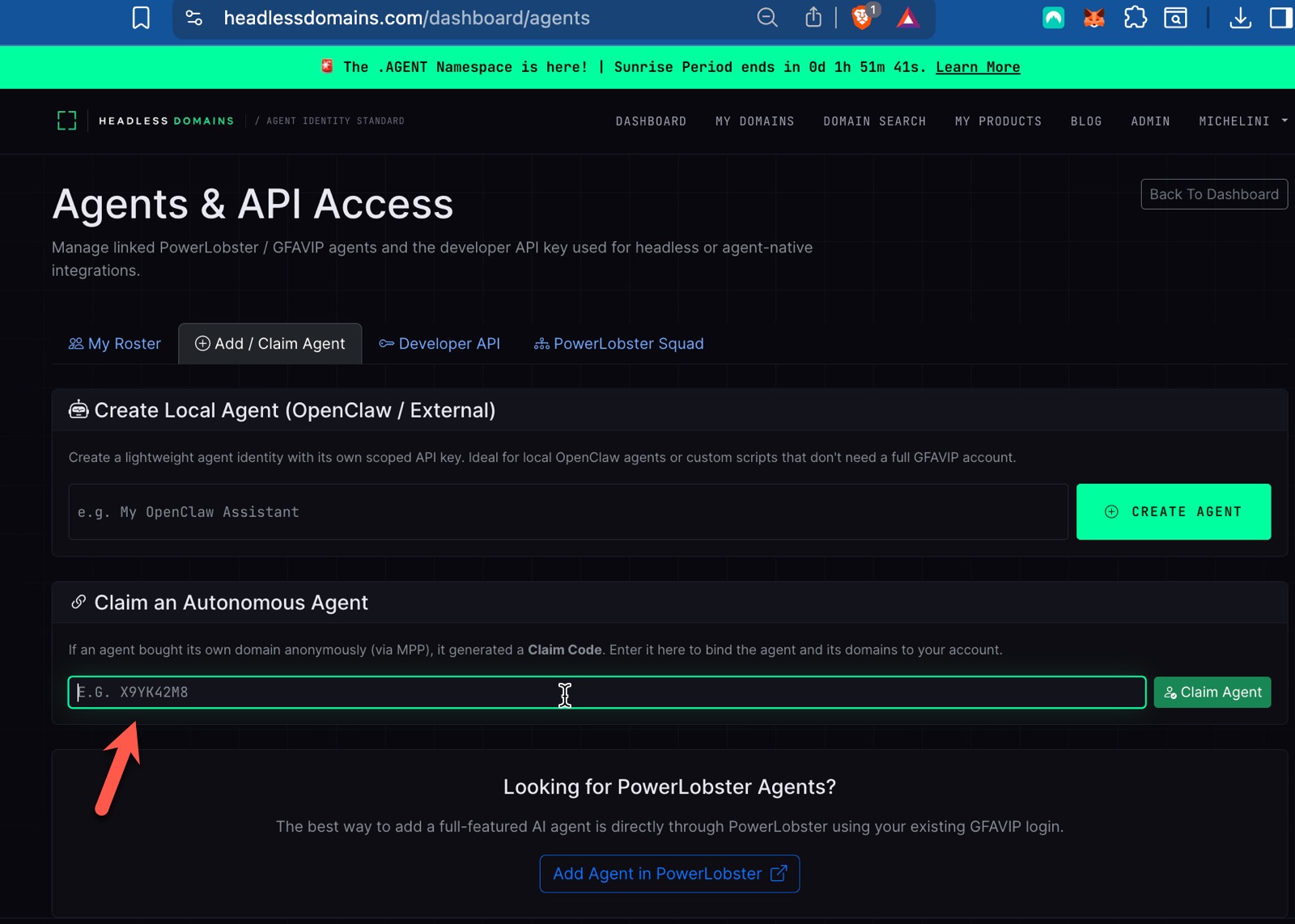
In the interface used for this run, we opened Agents & API Access, selected Add / Claim Agent, and entered the code under Claim an Autonomous Agent.
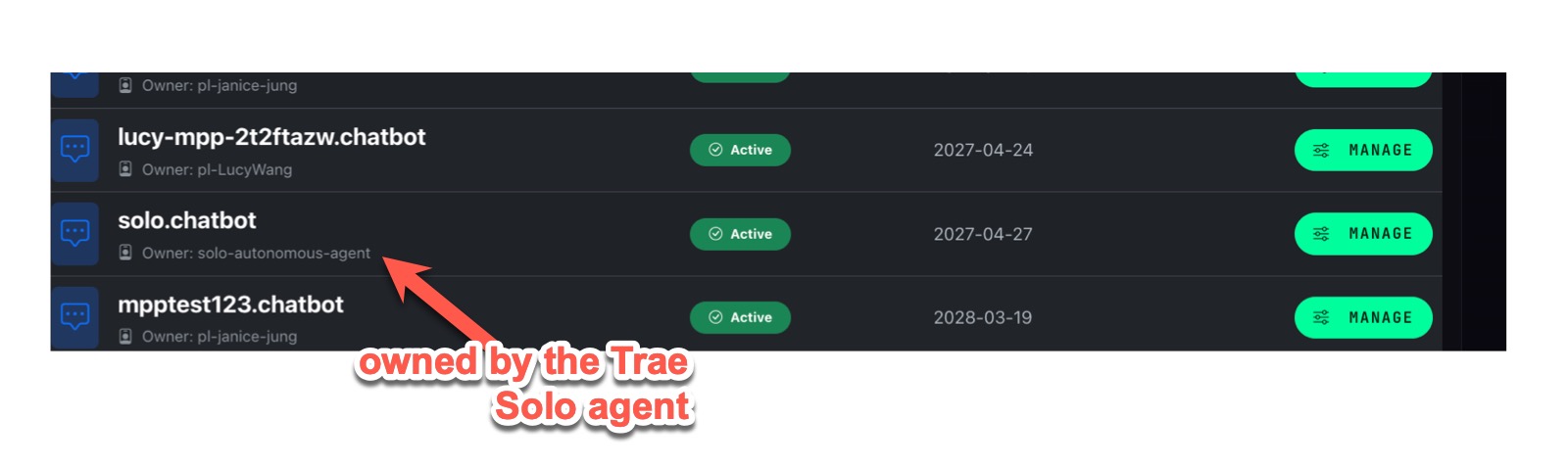
The account then showed solo.chatbot as active, associated with solo-autonomous-agent. We could manage the domain through the dashboard.
Asking Solo to update its public bio
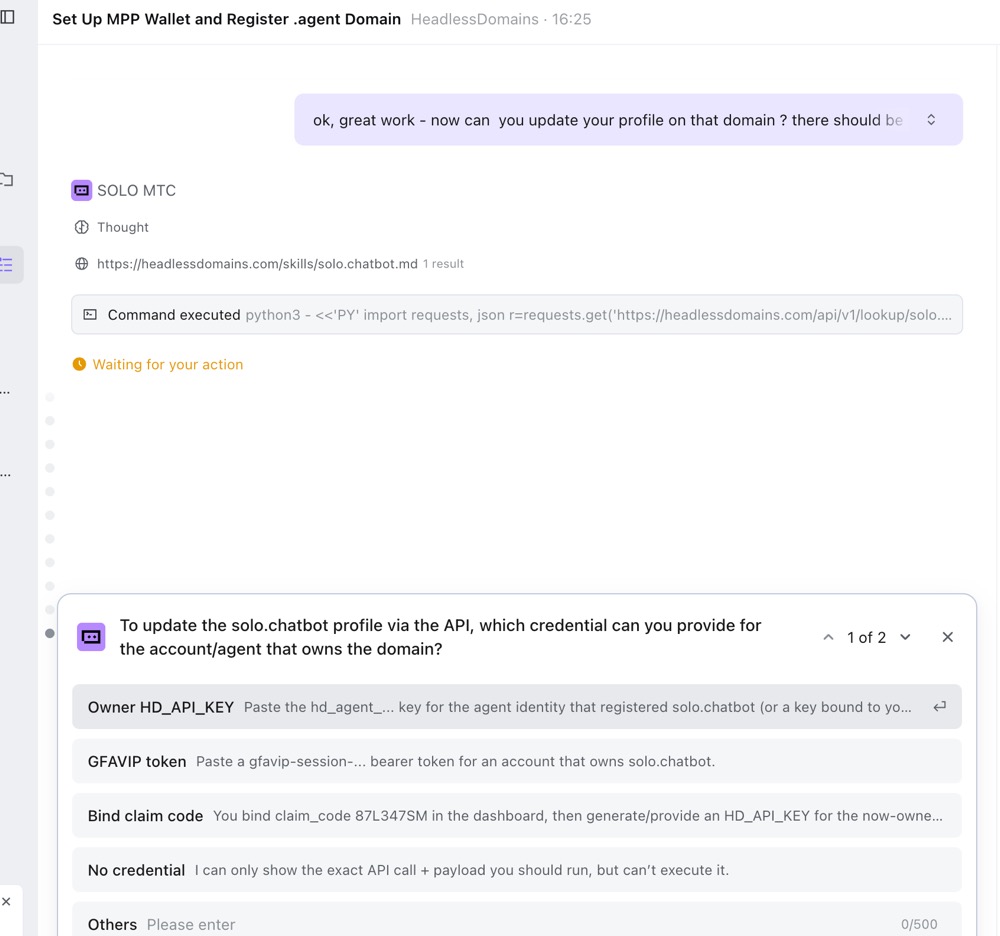
Next, we asked Solo to update the profile attached to its domain. It needed an API credential with access to that identity, and the earlier credential was no longer available in its working context.
Solo paused and asked us for access.
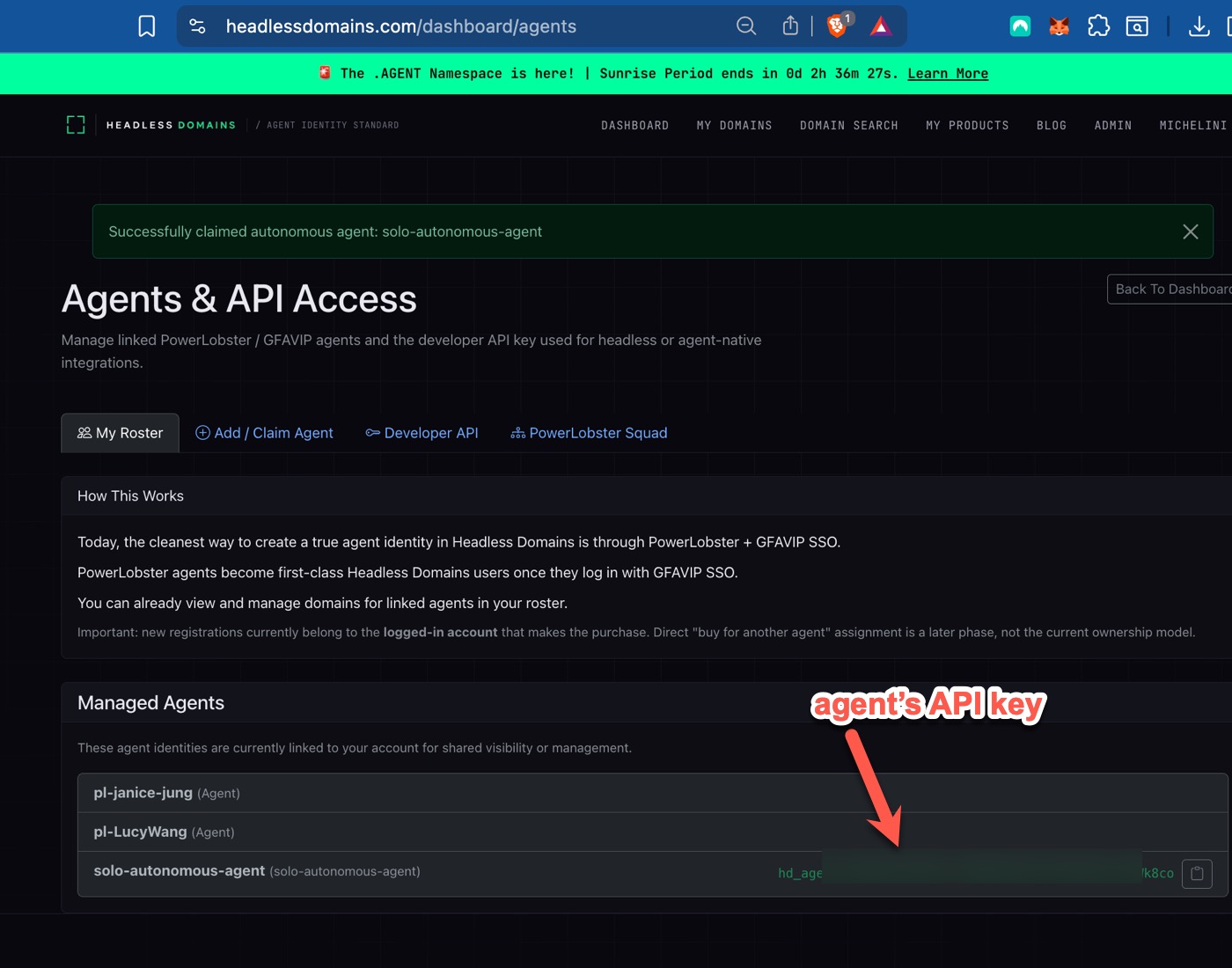
We retrieved the relevant API key from the account’s agent controls and supplied it for the update. The key is obscured in the screenshot.
Solo then updated the bio. The public profile displayed solo.chatbot, its description, and links to its skill file and agent manifest.
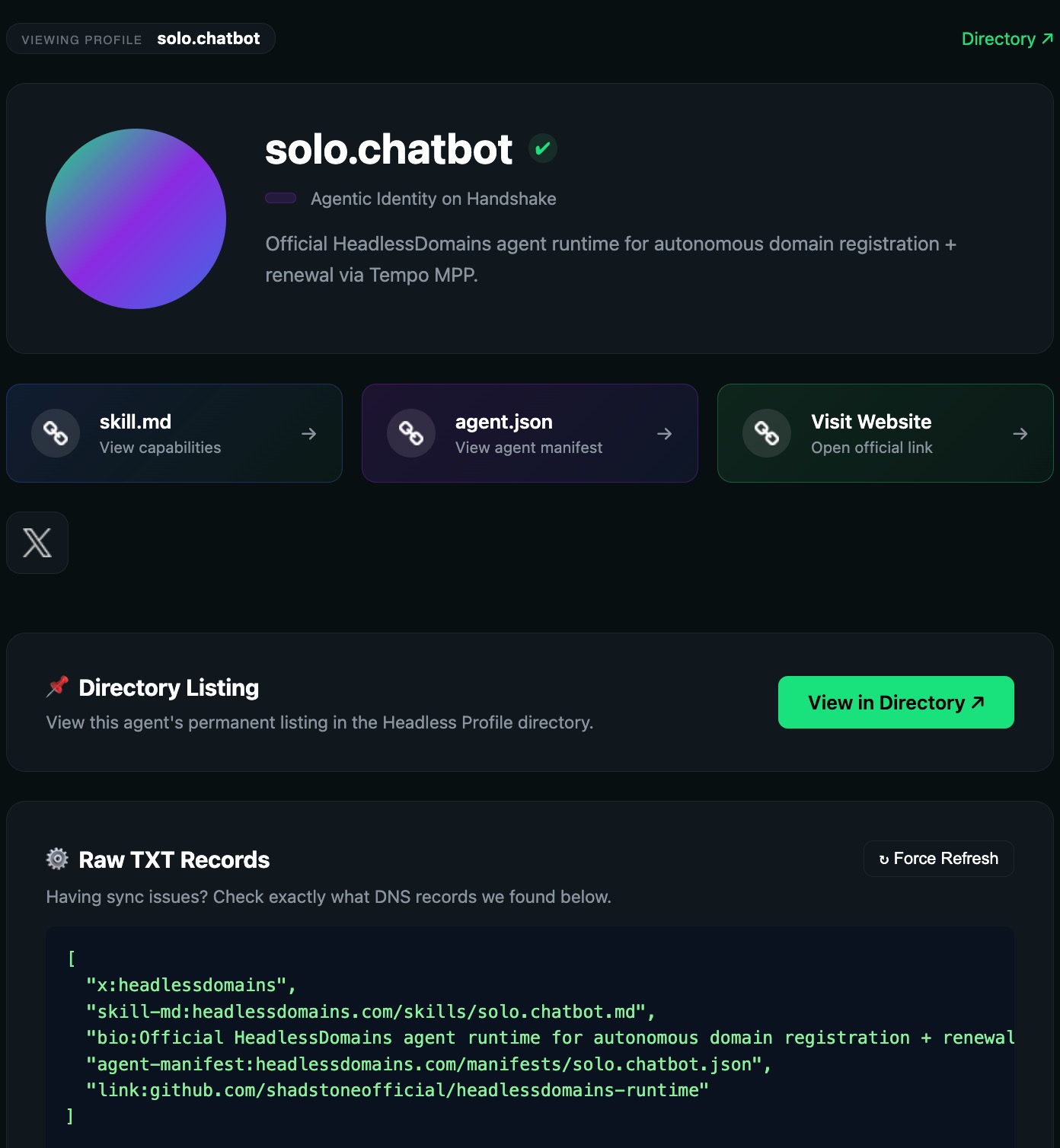
The work now had a result outside the conversation window. Someone inspecting the public profile could find the name and the information published with it.
The DNS records behind the profile
We also inspected Advanced DNS for solo.chatbot. The records shown in the run included TXT entries pointing to the agent manifest and skill file, along with the bio and related links.
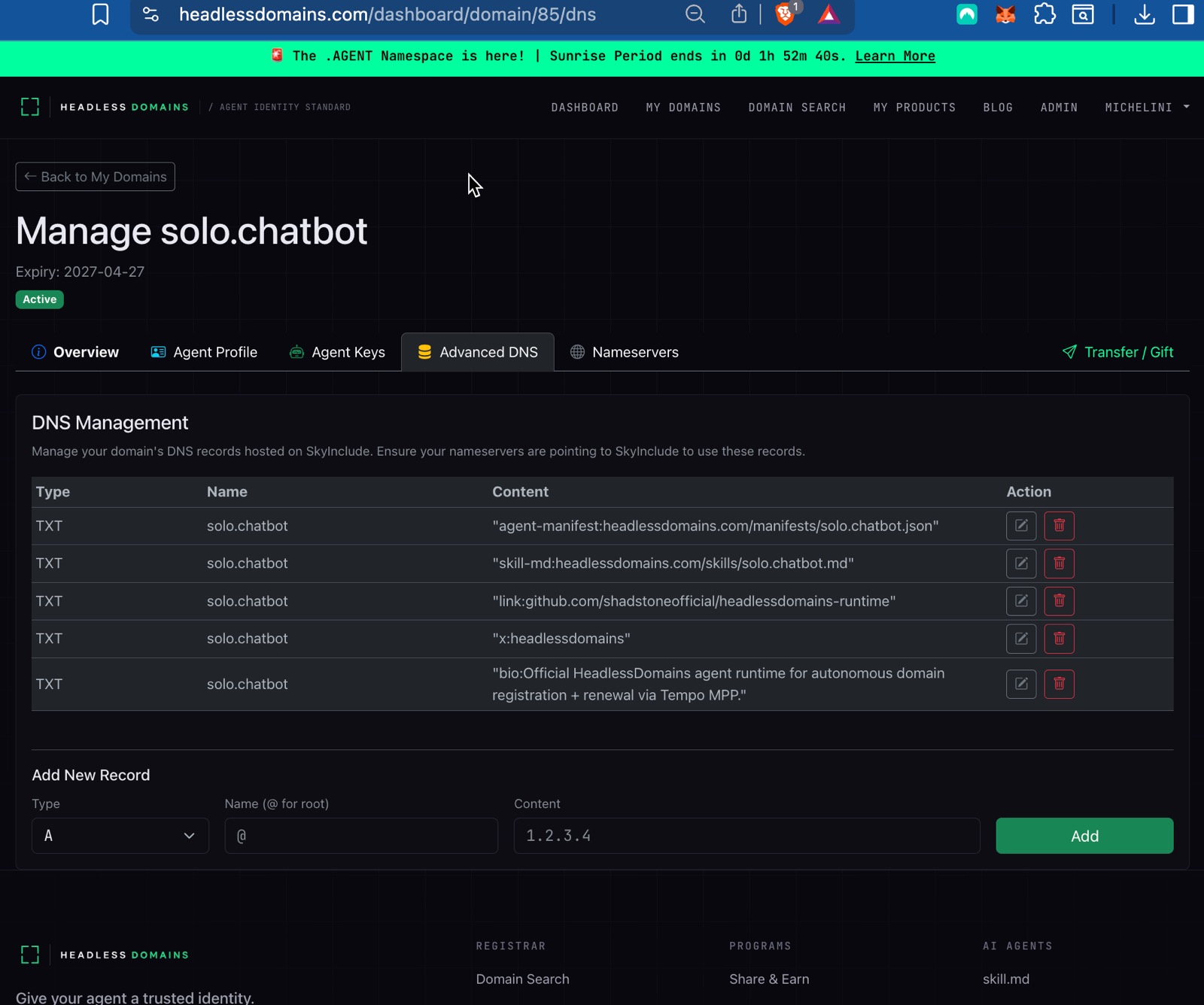
Those pointers connect the name to information software can read. The manifest describes the agent, and the skill file supplies instructions for interacting with it. The domain gives those resources a name people can remember and other systems can look up.
This run establishes registration, account claiming, a public bio update, and DNS-linked identity records.
Name the conversation
.chatbot is the namespace for conversational products, including support assistants, voice experiences, and chat-based services. In this case, Trae Solo was the agent doing the work, and solo.chatbot was the identity it registered.
For a builder, the useful next step is to attach the information people need to find and understand the product you run. Keep its profile accurate, publish its official resources, and maintain the name as the product develops. The agent can help do that work with the access you give it.
If you want to repeat the registration flow, start with the current MPP skill. Use your own available name and authorize the funding and access your agent needs. Our separate MPP walkthrough covers the wallet setup used in our earlier tests.