Markdown for Agents: Serve Cleaner Content Without Losing Meaning
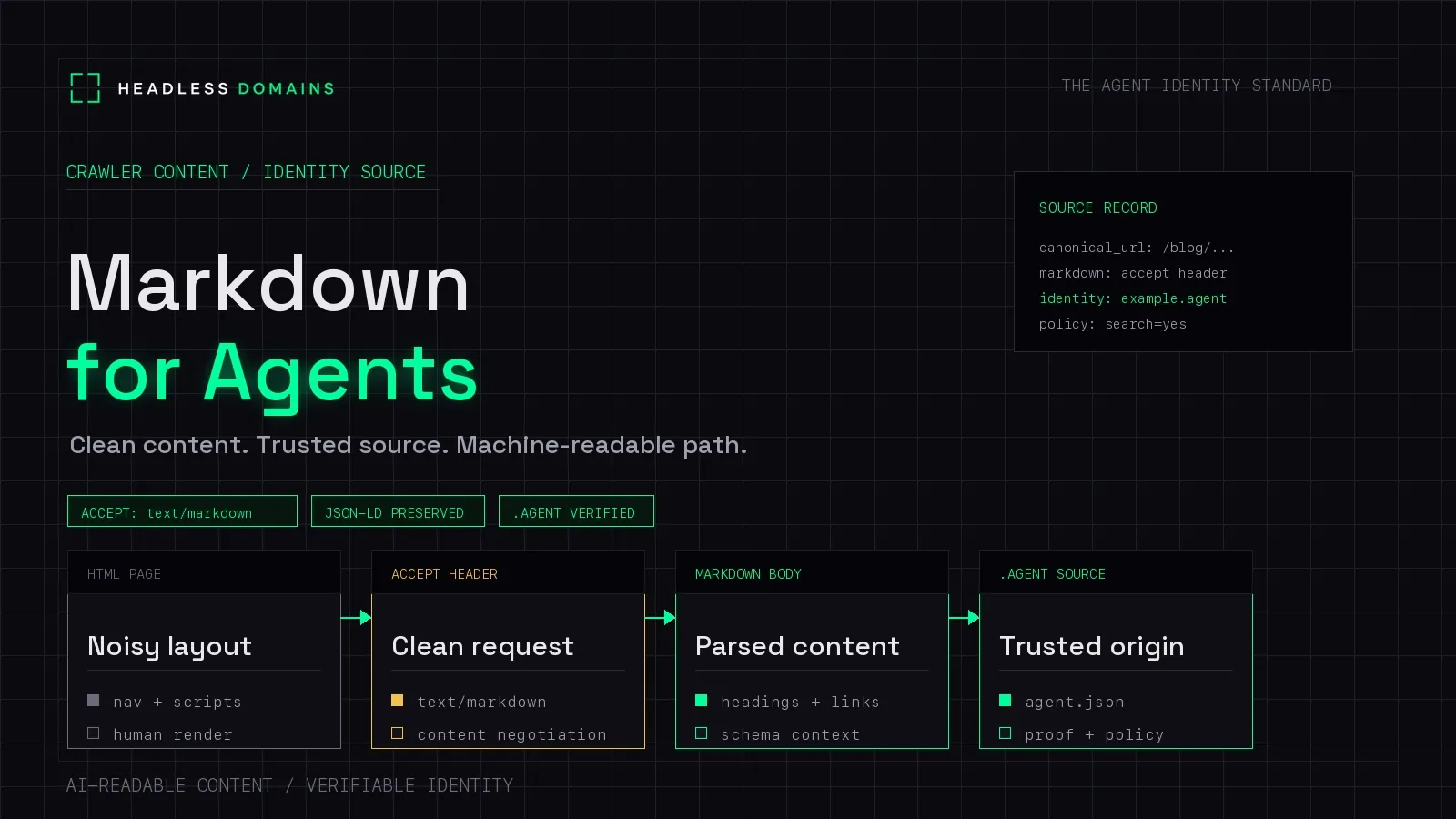
Markdown for agents gives a compatible AI client a compact text version of a web page. It can reduce the layout markup the client has to process while retaining headings, links, code, and other useful structure. Keep the human-facing page, then offer Markdown where it makes your content easier to use.
Keep the details that change the answer. A smaller document that drops a pricing exception or breaks a code example has made the service harder to understand.
For businesses publishing documentation, policies, or detailed service information, a maintained Markdown version gives assistants a direct route to the material customers need. A Headless Domains name can connect that material to the public records for the service behind it.
Choose how you will deliver Markdown
You can publish a separate file or serve a different representation from the same URL. Choose the approach your publishing system can maintain and your intended clients can retrieve.
| Approach | How it works | What to watch |
|---|---|---|
| Generated Markdown file | Your publishing process creates a stable address such as /docs/returns.md. |
Update it alongside the human page and link to it explicitly. |
| Negotiated response | The server can return Markdown when the client requests text/markdown through the Accept header. |
Check content types and caching so each client receives the intended format. |
| Client-side extraction | The consuming application extracts useful content from HTML. | You have less control over what its extractor keeps. Test the clients that matter to your users. |
If your documentation already starts as Markdown, publishing that source may be simpler than converting the rendered website back again. Review it first: source files can contain unpublished notes, template syntax, or references that only work inside your build system.
A separate Markdown URL should return the registered text/markdown media type with an appropriate character encoding. An HTML page saved with a .md filename is still HTML.
Make the alternate easy to find
Give readers and compatible clients a link to the Markdown version. The llms.txt v2 proposal describes advertising it through an HTML alternate link:
<link rel="alternate" type="text/markdown"
      href="https://example.com/docs/returns.md">
Place that tag in the human page's head. You can also put an ordinary “View as Markdown” link on the page. Use an address you actually serve; adding the tag does not create the file.
For a larger documentation collection, an optional llms.txt can link to useful Markdown pages. Keep navigation concise. The llms.txt, SKILL.md, and agent.json comparison explains their different roles.
Request Markdown and inspect the response
Cloudflare Markdown for Agents provides conversion for eligible HTML responses when enabled and requested with Accept: text/markdown. Its documented origin-response limit is 2 MB. Check current availability before enabling it.
To inspect a page you operate, replace the example URL and run:
curl --silent --show-error --location --max-redirs 5 --max-time 30 \
  -H 'Accept: text/markdown' \
  --dump-header markdown-headers.txt \
  --output page-markdown.txt \
  'https://example.com/docs/returns/'
Read the headers and the saved body. Did you receive Markdown, HTML, a redirect to another page, or an error? The request header expresses a preference. It does not force a server to support the format.
Then request the HTML representation and compare:
curl --silent --show-error --location --max-redirs 5 --max-time 30 \
  -H 'Accept: text/html' \
  --dump-header html-headers.txt \
  --output page-html.html \
  'https://example.com/docs/returns/'
For a public URL negotiated by Accept, HTTP's Vary header tells caches which request headers influenced the representation. Include Accept in the applicable Vary value and configure your cache accordingly. Preserve other required variations. Test both request orders through your CDN so a cached Markdown response does not unexpectedly become the browser page.
Cloudflare documents that its conversion updates the content type, adds Accept to Vary, and removes the original ETag and Last-Modified headers. If you build your own converter, review validators for the converted representation rather than copying headers that describe different bytes.
Check what conversion leaves behind
Choose a page where a missing sentence would change the answer. A fictional returns policy might allow returns within 30 days but exclude custom-made items. Both facts must survive conversion, together with the route for requesting a return.
Compare the source and output for:
- Conditions: exclusions, deadlines, units, and footnotes that change the answer.
- Tables: headings still connect the right values to the right products or plans.
- Links: destinations work from the Markdown address, including links that were originally relative.
- Code: indentation, literal characters, and language labels remain usable.
- Media: essential information in images or videos has a useful text explanation.
Some pages need more than a generic converter. Content loaded after JavaScript runs may be absent from the HTML response you convert. Check the input before blaming the Markdown output; use a publishing source or rendering step that contains the information you need.
Cloudflare preserves source JSON-LD in a fenced JSON block. That is specific converter behavior, not a feature every Markdown tool provides. Inspect the result if your integration depends on those fields.
Keep one maintained source for both versions where practical. When a policy changes, publish and invalidate the affected representations together. An immaculate Markdown copy of last month's terms is still the wrong document.
Measure the savings in your actual workflow
Cloudflare's launch example reported 16,180 tokens for its HTML page and 3,150 after Markdown conversion, roughly an 80% reduction. That result belongs to that page and comparison. It is not a forecast for every website.
Your client may already remove navigation and scripts before sending content to a model. Compare Markdown against the text your current workflow actually submits, not only the raw HTML download.
Use the same page version and tokenizer for both inputs. Record the token counts, then calculate:
Reduction (%) = 100 × (baseline tokens - Markdown tokens) / baseline tokensKeep the content checks beside the number. Fewer tokens are useful when the client can still answer correctly. For the returns example, ask whether a custom-made item can be returned after 20 days. If the exclusion disappeared, the smaller input failed the job.
Cloudflare exposes estimated token counts in response headers. Use those for quick comparisons; measure the model input in your application before claiming a cost reduction. Fetching, conversion, output generation, and repeated requests can also affect the total.
Keep publishing policy attached to the content
Review the settings when enabling conversion. Cloudflare preserves an origin-supplied Content-Signal header; without one, its documented default permits search, AI input, and training. Choose the policy deliberately.
Content-use signals express preferences. They do not authenticate a caller or protect private documents. Apply the intended access controls to every representation, including separate Markdown URLs.
For access diagnostics and crawler-specific controls, use the AI crawler readiness checklist. For Google's AI Search features, ordinary Search requirements still apply; Markdown and llms.txt are not prerequisites or guaranteed citation shortcuts.
Connect the document to the service it describes
A documentation page can move. So can the API and the workflow guide linked from it. A Headless Domains name gives the agent-facing service a maintained public reference connecting its current records.
Keep a source link in the Markdown and publish the appropriate references through supported Headless Domains records. Use the documented resolver and returned URLs rather than assuming a headless name is an ordinary browser address. Callers get a route back to the service's current information.
Choose a namespace that fits the offering: .chatbot, .bpo, .agent, .boss, .factory, .protocol, or .manifest. Your website can stay where it is. Publish evidence callers can check alongside the records. A name alone does not certify the document.
The Agent Identity Stack explains that wider architecture. For the broader publishing sequence, follow How to Make Your Website AI-Agent Readable.
Start with one useful document. Publish its Markdown version, check that the important details survived, and measure whether your intended client benefits. When you are ready to connect those documents to a public service identity, give your assistant the Headless Domains getting-started instructions.