Your Store Blocks Bots. What Happens When AI Is the Buyer?

In less than an hour, a WooCommerce store logged 7,048 requests to add products to carts. The operator watched the shop develop timeouts and server errors, then replaced the storefront with a maintenance page. The requests kept arriving.
The operator, posting as Upstairs_Control_611 on r/woocommerce, reported 6,921 different IP addresses among the cart-addition requests. The operator planned to move protection in front of WordPress rather than block thousands of addresses individually.
For a merchant watching a store buckle under automated traffic, blocking bots makes perfect sense. AI shopping complicates the decision: customers can also send software to compare products and help prepare an order, asking your defenses to distinguish a useful visit from expensive interference.
You can give shopping agents access to public product information while keeping cart changes, customer accounts and payment attempts under separate controls. Give your team a clear policy for each operation, so a useful product lookup can reach the catalog without opening the whole shop to automation.
Why ecommerce bot protection collides with AI shopping
Another seller described the dilemma in the Shopify Community. The seller reported almost 3.2 million sessions, with no add-to-carts or payments from the unwanted traffic. They wanted relief from the noise without stopping AI crawlers from finding the shop.
By July, the merchant reported using more specific Cloudflare security rules to block unwanted crawlers while preserving search access.
A crawler gathering pages for search and an assistant reading an offer for a customer perform different jobs. OpenAI separates its search crawler from its training crawler, letting publishers control each independently. Its user-directed page visits form another category, and robots.txt rules may not apply to those visits. An assistant reading a page for a customer therefore deserves a separate access decision from a crawler collecting training material.
A bot’s name alone doesn’t settle the decision, either. Anyone can copy a user-agent label. Your security provider’s verification methods supply evidence about the operator, while your store decides which requests to accept.
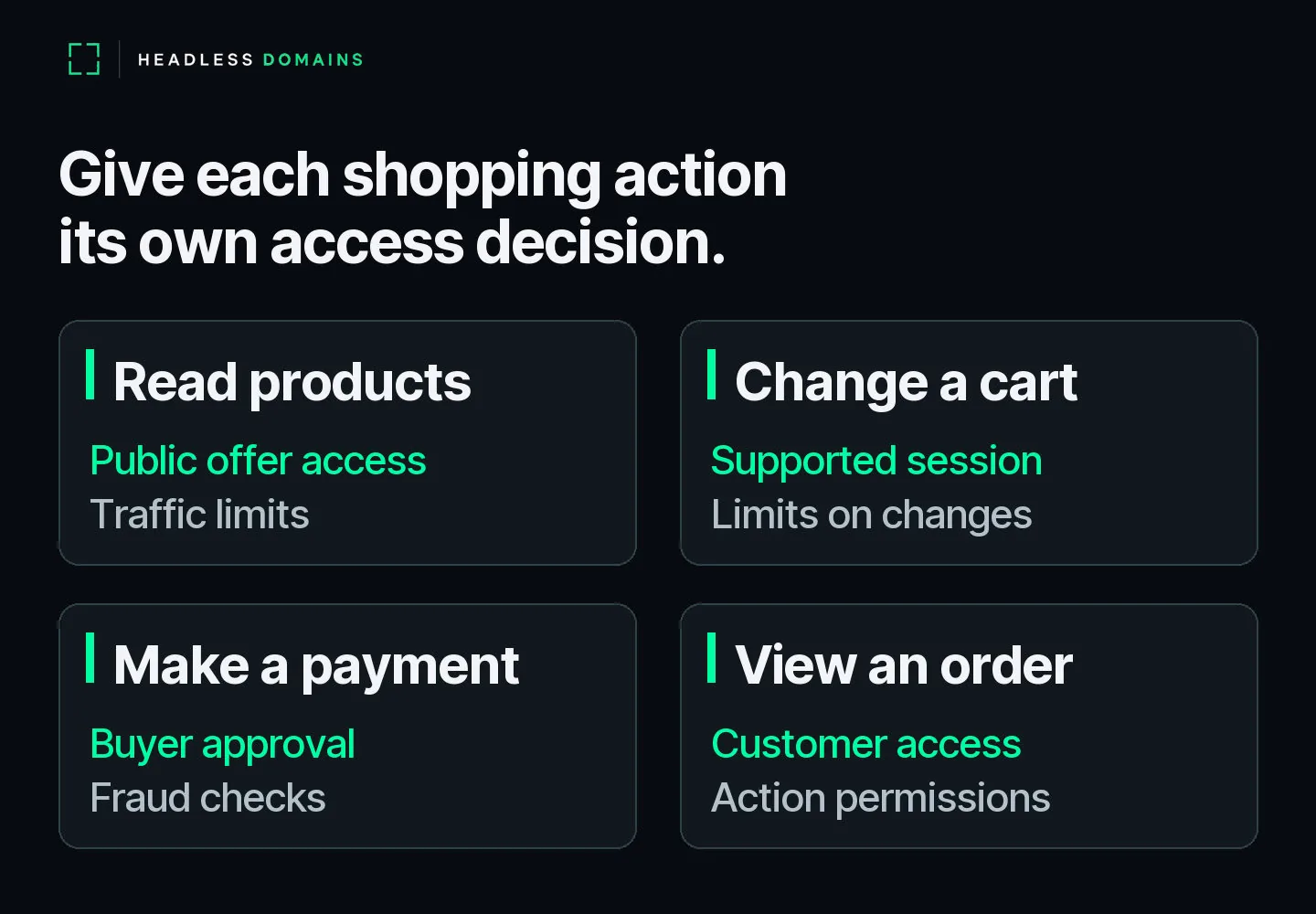
Give AI shopping agents different access to products, carts and payments
The WooCommerce incident involved pressure on cart operations, rather than confirmed payment attempts. The operator had counted requests to add and remove items, and the shop had stopped coping. Admitting a visitor to read product information and admitting thousands of cart changes carry different consequences for a store.
Bring the actual shopping action into the conversation with your developer or security provider. A shopping assistant can read an offer without receiving permission to change an account, submit unlimited cart requests or place an order.
| Agent’s job | Merchant’s access decision | Evidence of a working result |
|---|---|---|
| Read products and policies | Allow chosen visitors to read public offers, with traffic limits appropriate to the service. | The agent receives the offer and policy text, rather than a challenge screen. |
| Add or remove cart items | Use the supported cart route and session checks; limit repeated changes. | The correct item, variant and quantity appear in the expected cart. |
| Submit an order or payment | Apply buyer approval, checkout rules and payment-fraud controls. | Your commerce platform records the accepted order and payment outcome. |
| Read an order or request a refund | Authenticate the customer and enforce the permissions for the specific operation. | The agent reaches only the permitted customer information or action. |
Cloudflare’s verified-bot classification helps identify automated operators, including agents using supported signed requests. Its classification also distinguishes direct operators from intermediaries acting for other users. Recognizing the operator leaves a further question for your store: which customer authorized the action?
The receiving service makes the access decision. A valid operator signature supplies identity evidence; the store still applies customer permissions and transaction controls. For the mechanics, read the Web Bot Auth and Visa TAP guide. Use the table to decide which shopping operations your business accepts.
Cloudflare bot settings: find the rule before opening access
Even merchants using the same security provider can have very different controls. Ask whoever manages your firewall to identify the product and rule blocking a useful request before changing an allowance.
For example, Cloudflare’s free Bot Fight Mode runs across a domain and can challenge API traffic. A custom firewall Skip rule cannot bypass Bot Fight Mode. Super Bot Fight Mode offers a different rule path with Skip support. Advice to “add an exception” leaves out a decisive detail when the store runs the free product.
Cloudflare also offers separate policies for Search, Agent and Training behavior. Its September 15 defaults for new domains allow Search while blocking Agent and Training activity on pages displaying ads. A store owner’s intention to welcome shopping assistants doesn’t automatically carry through every account setting.
WooCommerce has a similarly consequential distinction. Its checkout rate-limiting setting covers the Checkout block’s Place Order flow and the Store API’s checkout POST route. The setting doesn’t cover every cart URL. Enabling a checkout limit therefore doesn’t settle the cart-abuse problem described at the opening.
For Store API integrations, WooCommerce also requires a nonce or cart token for cart changes and checkout access. Those controls belong to the supported shopping flow. A developer can test an agent against the flow without stripping away its checks.
Publish an AI product catalog with a clear route to your store
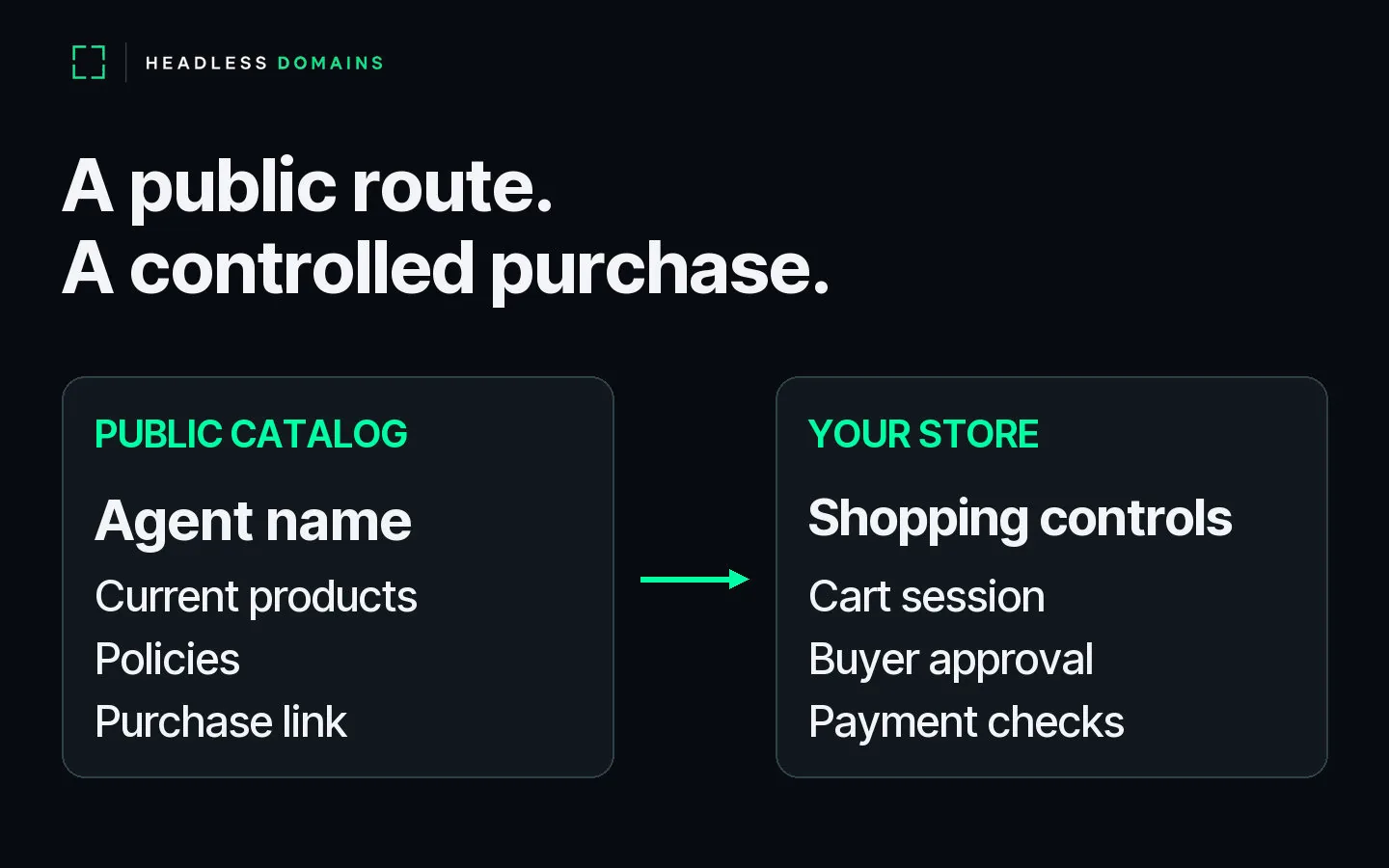
A merchant can also give agents a direct place to read product information before they enter a shopping session. Publish a selected catalog with product details and purchase links, and an assistant following the catalog route can compare offers before moving toward a cart.
Build My Online Store gives you a separate catalog to manage alongside your existing shop. You choose the products and buying destinations for the published range. Its Shopify catalog connection lets you direct shoppers back to Shopify for checkout and orders, preserving the operation your team already runs.
Give your commerce agent a public name customers can find again
A catalog URL identifies a location. A public agent name gives your commerce service a recognizable reference across directories, customer conversations and integrations.
Through HeadlessDomains.com, you can connect the agent’s name to its current catalog and service information, then update the records when a destination moves. Agents follow the records through API and command-line lookups; your storefront stays on its existing host.
You keep control of the public information and the routes you advertise. Your security provider checks incoming traffic, and your store enforces access to shopping operations. Customers and agents get a recognizable route back to the offer, while your team keeps shopping permissions with the systems handling the order.
Test AI shopping access from product lookup to checkout
Before widening agent access, ask your team to follow one real product through the permitted route: read the offer, select a variant, change the quantity and continue to checkout. After changing access rules, run an ordinary customer purchase through checkout too, including any payment-provider handoff.
Save the request and the matching security event whenever a step fails. A successful homepage visit says little about a blocked cart, and an empty security alert list says little about a broken payment handoff. Judge the shopping route by the result in your commerce platform.
Start with a public catalog agents can read and a purchase route your team can test. Then give your commerce agent a name at HeadlessDomains.com and connect its current service records. Use the AI crawler readiness checklist for the separate work of diagnosing search and page access.
Watch What to Do After Registering a Headless Domain: 7 Next Steps for the registration and record setup.