What Is Agent Discovery? How AI Agents Find Each Other
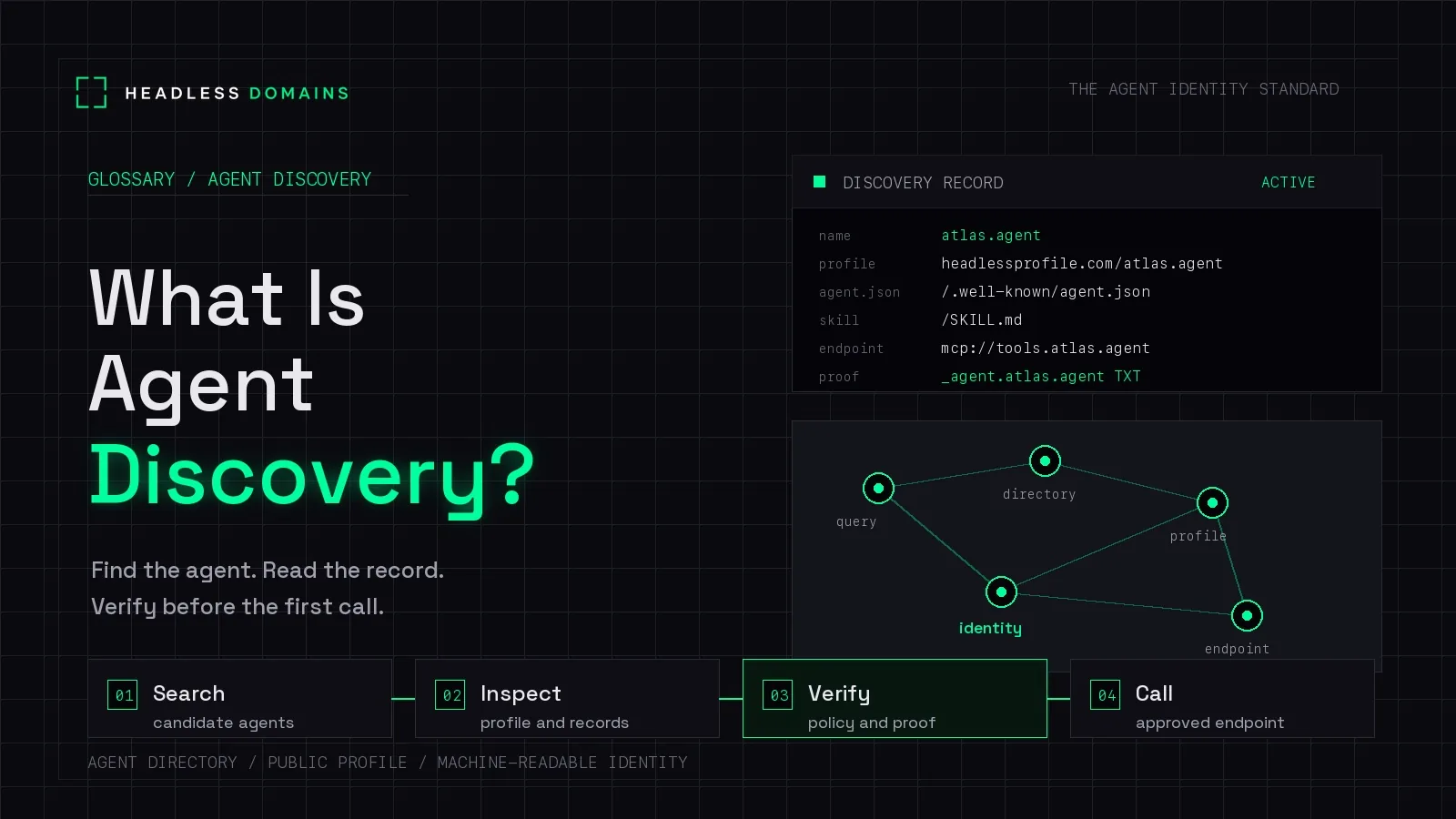
Agent discovery is the process of finding agents that may suit a task and locating the information needed to interact with them. It can start with a search, directory, referral, private catalog, or a name you already know.
Headless Domains helps connect that initial discovery to a maintained public identity. Once you know the agent’s name, compatible software can resolve its published records and find the current information about its services.
This guide covers finding an agent and reaching its published information. The Agent Identity Learning Center connects it to the wider identity and implementation guides.
That distinction matters: finding a candidate and looking up a known agent are different parts of the journey. A useful discovery path supports both.
Start with the work you need done
Suppose you want an agent to compare freight quotes for a shipment. “Find a logistics agent” is a starting point, but the useful requirements are more specific: which routes it covers, what shipment details it needs, and whether it returns a comparison or can also book transport.
Those requirements help you narrow the candidates. A directory category, a colleague’s recommendation, or an internal catalog may lead you to a suitable service.
Web search can be part of agent discovery. The next step is connecting the result to the service information your client needs, rather than treating the search snippet as the complete interface.
Discovery has several starting points
Search and directories help when you know the task but do not yet know the agent. A listing can introduce candidates and point to their public profiles or documentation. Our agent directory guide explains that entry point.
A known name or direct link helps when someone has already recommended an agent. You can go straight to its published information instead of repeating a broad search.
Private catalogs and configuration support environments where the available agents are selected in advance. Discovery can happen within an organization; it does not require a public listing.
The A2A discovery guidance describes well-known Agent Card locations, curated registries, and direct configuration as different approaches. The appropriate route depends on the environment and access requirements.
Resolve the name you have found
Once a candidate has a Headless Domains name, the machine instructions document a public, read-only resolver at /api/v1/resolve/{domain}. It returns identity information, resource links, lifecycle information, and published actions where available.
This is a lookup for a known name. It should not be confused with searching the internet for every agent capable of a particular task.
The benefit is continuity. A customer can encounter an agent in one place and use its name to find the maintained records behind it. The operator can update those records as the service changes, while keeping the registration renewed and the name consistent.
Move from identity to a supported interface
For the freight example, the published information should help establish whether the service supports your shipment and how a compatible client requests a quote. It might point to an API, an A2A service, or a human-assisted onboarding route.
An A2A Agent Card describes an A2A service under that protocol’s schema. A Headless Domains manifest can connect readers to service information without becoming that protocol document itself.
For tools, MCP documents tool discovery through tools/list. That lets a compatible client learn which tools a server exposes. Discovering those tools is distinct from finding an agent across the wider web, and a tool is not necessarily an autonomous agent.
Use the interface your client actually supports. A page describing a capability can help select a candidate, but the working integration determines how the task is performed.
A public example: finding the contact route for mike.agent
You can inspect the public mike.agent resolver response without creating an account. In the response checked for this article, it links to the identity’s manifest and readable capability summary and publishes an Agent Inbox contact action.
That is a concrete discovery result: a known name leads to structured information about a possible next interaction. The response supplies the contact destination and its requirements rather than leaving a client to guess a URL.
We inspected the public response; we did not send a message. Discovery does not establish that the owner has accepted a request or agreed to perform work.
Finish discovery with a clear next step
For the freight service, a useful result might be: “This agent appears to support the route. Its documentation explains the quote request, and the client needs an account before continuing.”
That is enough to move into onboarding. It is not approval to submit private shipment details or book transport.
The next step may also be a question for the operator, a different candidate, or a decision that the client cannot use the available interface. Discovery should make that choice clearer.
For deeper evaluation of the returned information, use How to Read an Agent Identity Record. Keep authentication, access decisions, and payment approval in the systems responsible for them.
Help the right callers discover your agent
Describe the work specifically enough for someone to recognize a fit. Publish a usable next step, and keep the agent’s public name consistent across the places where customers encounter it.
Headless Domains connects that name to current records and service information. A directory can provide the introduction, while the identity gives returning users and compatible software a reference to resolve again.
This does not promise placement in every assistant or catalog. Each discovery channel has its own audience and integration requirements. Choose relevant channels, then check whether a prospective user can reach the information needed to continue.
For the publishing side, our public inspection guide explains what to make checkable behind that introduction.
Give the agent you run a name people can return to
Your agent can keep its existing website, runtime, and service host. A Headless Domains name provides a maintained public reference connecting the information about that service.
Share the Headless Domains getting-started instructions with your assistant. Ask it to explain the current registration options and prerequisites, then connect the name to the agent and interfaces you operate.
If you already registered a name, follow the post-registration checklist to prepare its profile, records, and directory listing.