Headless Domains Passes 13/13 Agent Signup Runs in Docka Test
Headless Domains passed all 13 agent signup runs in Docka's first-wave evaluation.
Docka founder Eugene Levitin confirmed the result in a public LinkedIn reply: three models, cold starts, every agent through. Headless Domains was the only service in that wave with a successful result on every run, he said.
He also cleared up something in his original post. The agents that stumbled over handling their new credentials were using other services. That problem did not affect Headless Domains.
Good news. And useful feedback came with it: Docka found two gaps after signup that deserved attention.
What Docka tested
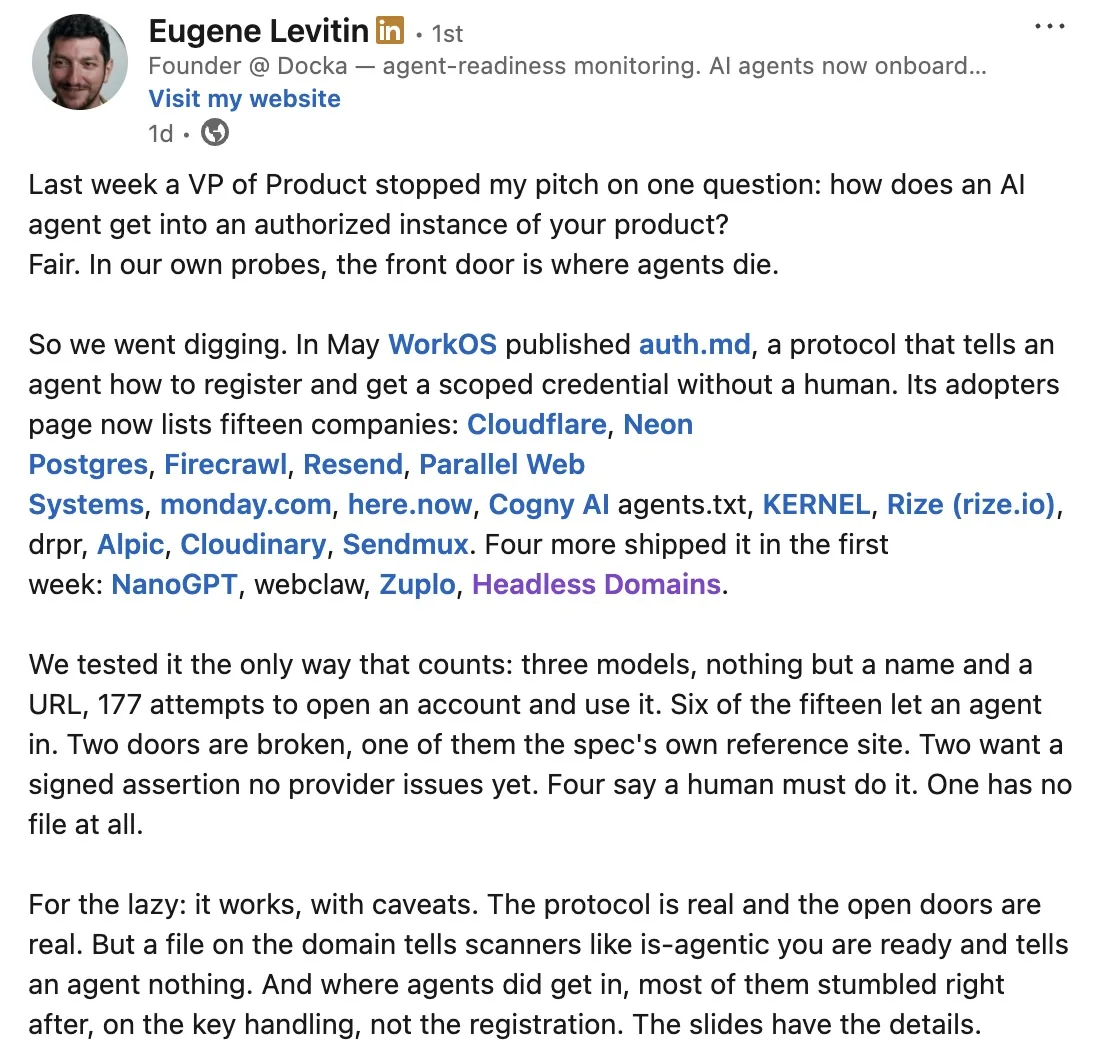
Levitin's LinkedIn post describes 177 attempts across three models to open an account and use a service, starting with a name and a URL. Could an agent get into an authorized instance of the product without someone walking it through?
His follow-up reply gives the Headless Domains result: 13 successful runs out of 13.
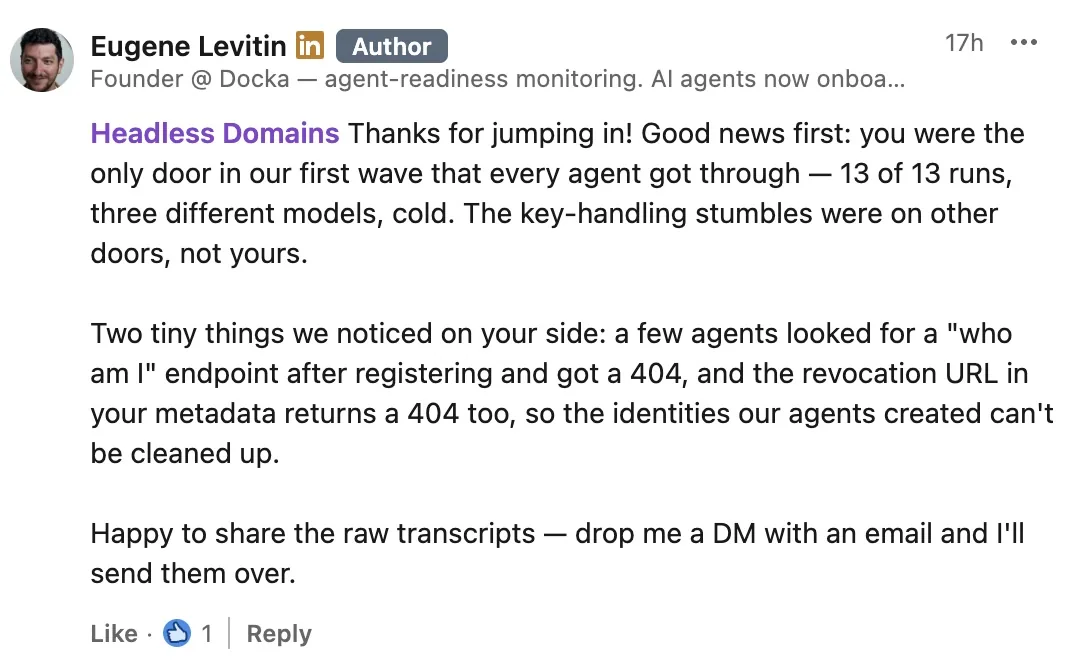
Docka founder Eugene Levitin confirms the Headless Domains result and describes two issues his team found after signup.
That tells us the tested signup flow worked across those runs. It doesn't tell us that every agent will succeed, that the service has passed a security audit, or that those agents went on to buy a domain.
Getting the agent connected shouldn't become your job
You ask an agent to use a service. It sends you to a signup page. Then you hunt down the API settings, create a key and work out where to put it.
By now, you're doing the setup you wanted the agent to handle.
Headless Domains publishes an authentication guide for agents with a documented route to create an agent account and receive an API key without a human sign-in. A claim code lets the operator connect that agent to a human account later.
The guide links to discovery metadata, the OpenAPI description and workflow instructions. Docka's result gives us evidence that agents could find their way through signup. It doesn't isolate which document made the difference, so we aren't crediting all 13 successes to a single file.
Our auth.md registration article covers the implementation and the proposal's history.
What happened after signup
Some agents wanted to check which identity they had just created. They looked for a “who am I” endpoint and got a 404, Levitin reported. The revocation URL in the metadata also returned a 404, leaving Docka unable to clean up through that route.
Those are useful findings even when signup succeeds. An agent needs to know which account its credential belongs to. The operator needs to be able to stop that credential working.
As of September 10, 2026, our public authentication instructions document routes for both:
- Check the identity:
GET /api/v1/agents/meis documented to return identity and claim-state information without exposing the API key or claim code. - Revoke the key:
POST /oauth2/revokeis documented to invalidate a Headless Domains API key. The older/agent/auth/revokepath remains a compatibility alias.
The current authorization metadata advertises the newer revocation endpoint. These updates are in the documentation; Docka's original result is not a retest of them.
A follow-up should take a disposable test key through the whole sequence: check its identity, revoke it, then confirm that protected requests fail. Revoking the key stops access. Deleting the account or its assets is a separate operation.
Keep the claim tied to the test
Headless Domains currently issues an API key directly. The newer WorkOS auth.md guidance describes a signed identity assertion followed by an OAuth token exchange. Our live guide says that the full assertion-exchange flow is not yet implemented.
It also states that credential-specific scopes are not currently enforced. The scope list in discovery metadata describes service capabilities. It doesn't mean each key has its own restricted permission grant.
So the result supports a clear claim: the tested agents got through signup. Before giving an agent production access, you still need to assess its permissions and test what it should be refused. Our AI Agent Identity Security guide covers that work.
Try it with your own agent
Start in the agent or coding assistant you already use. If it has web access, give it this prompt:
Read https://headlessdomains.com/skill.md and its linked authentication instructions. Help me get started with a Headless Domains identity. Explain the registration route and anything I need first. Ask before creating an account or spending money. Keep credentials and claim codes private.
Your assistant needs tools that can read the instructions and make the requests. Creating its account is separate from buying and registering a public name.
Docka showed us that agents could get through signup and pointed out where they ran into trouble afterward. That's feedback we can build on. You can start with the same practical question: can your agent work out what to do next?
Give your agent the Headless Domains skill file to get started.